

Using Variables
Core Concept
Just like variables in programming languages, variables in workflows are important tools for connecting and organizing processes.
When executing each node after a workflow is triggered, some configuration items can choose to use variables. The source of variables is upstream node data of that node, including the following categories:
- Trigger context data: In cases such as operation triggers, data table triggers, etc., single-row data objects can be used as variables by all nodes. Specifics vary depending on each trigger implementation.
- Upstream node data: When the process reaches any node, result data of previously completed nodes.
- Local variables: When a node is in some special branch structures, local variables specific to the corresponding branch can be used. For example, in loop structures, data objects from each loop iteration can be used.
- System variables: Some built-in system parameters, such as current time, etc.
We have used the variable function many times in [Quick Start]. For example, in calculation nodes, we can use variables to reference trigger context data for calculations:
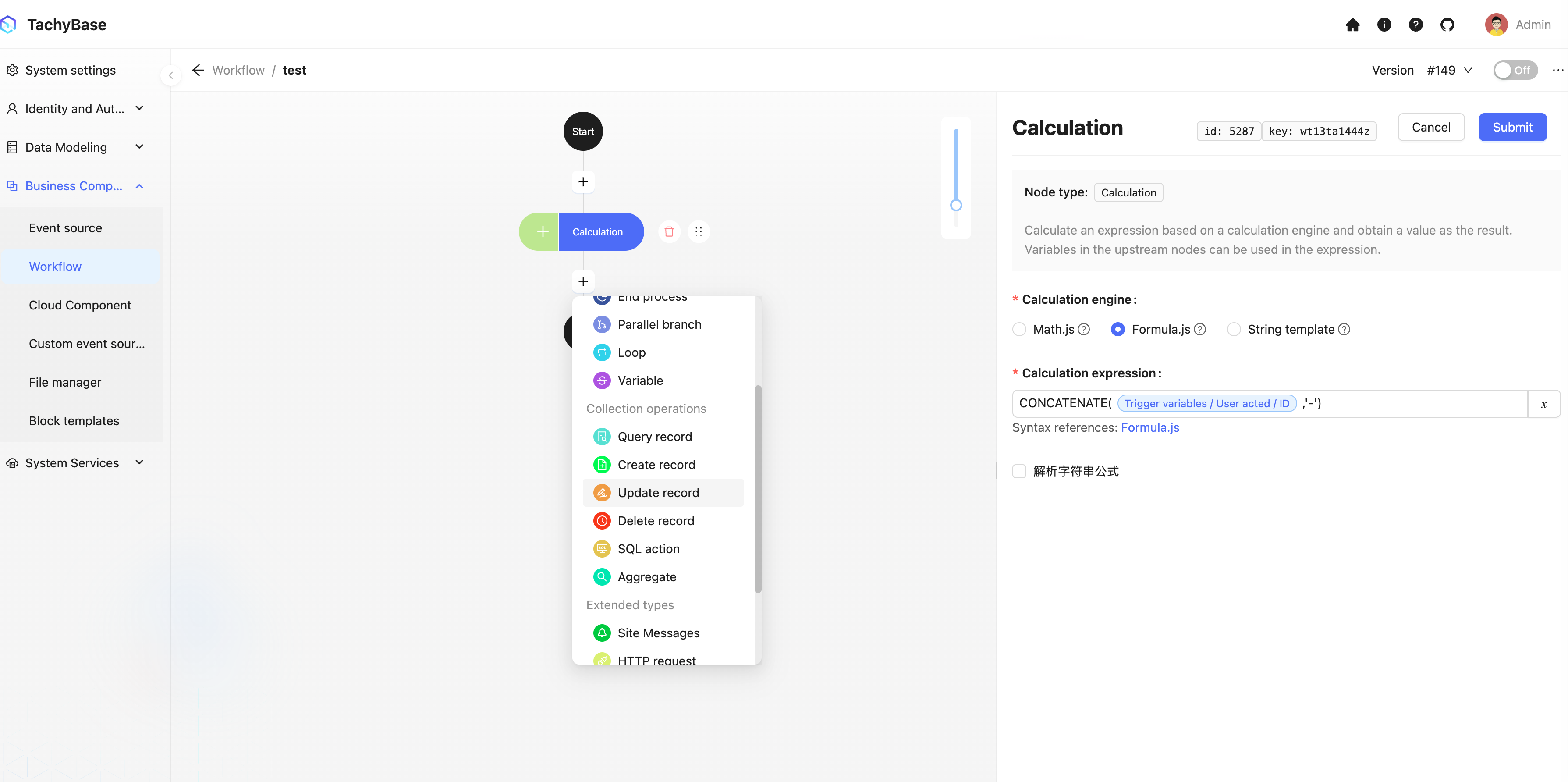
In update nodes, use trigger context data as variables for filter conditions, and reference the result of the calculation node as the field value variable for updating data:
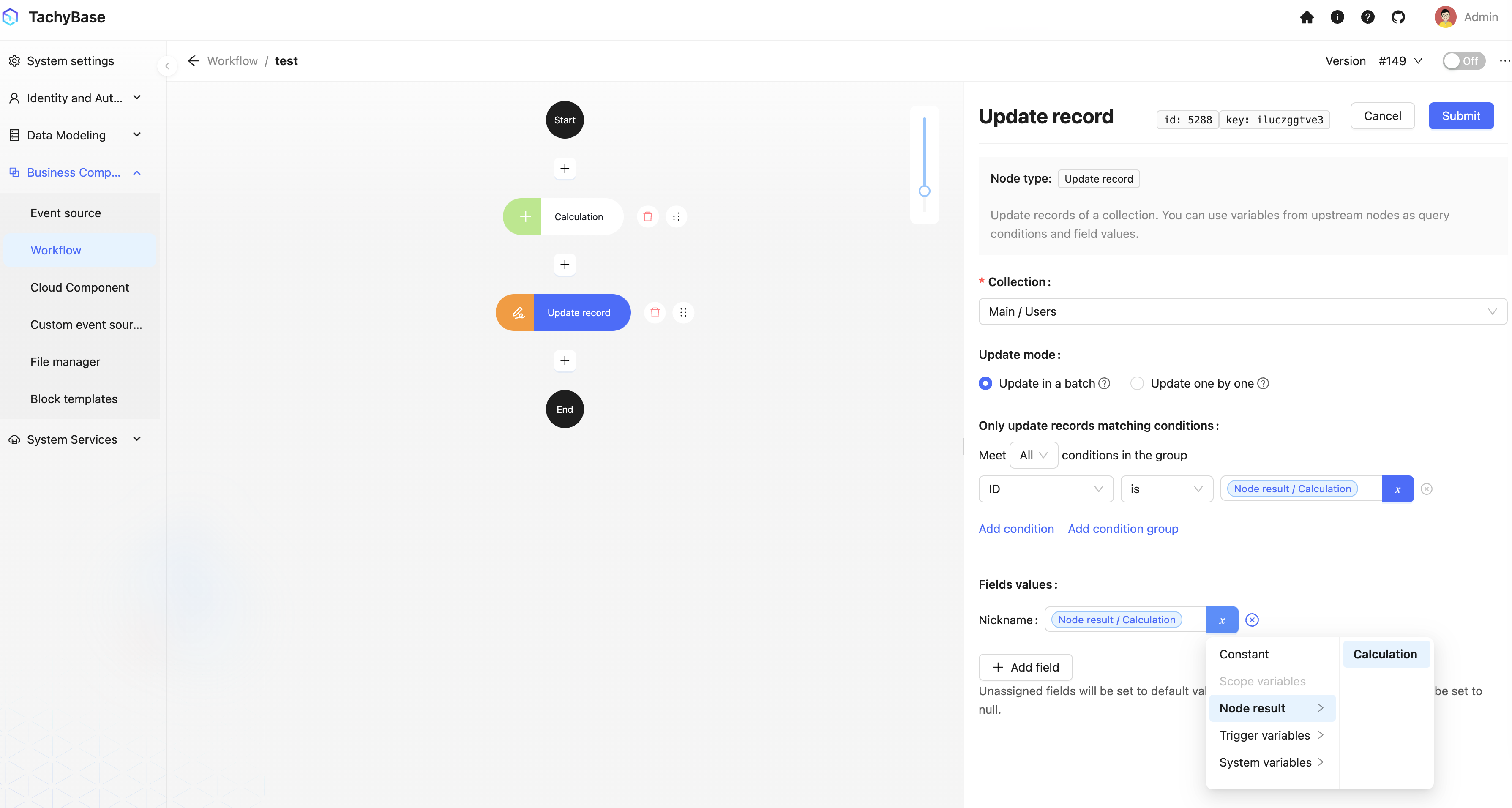
Data Structure
Variables internally are a JSON structure. Usually, specific parts of data can be used according to JSON paths. Since many variables are based on tachybase's data table structure, relationship data will form a tree-like structure as object properties by level. For example, we can select the value of a certain field of the relationship data of the queried data. Additionally, when relationship data is a one-to-many structure, the variable may be an array.
When selecting variables, most of the time you need to select to the last layer value property, which is usually a simple data type, such as numbers, strings, etc. But when there is an array in the variable hierarchy, the last-level property will also be mapped to an array. Only when the corresponding node supports arrays can it correctly process array data. For example, in calculation nodes, some calculation engines have functions specifically for processing arrays. Also, in loop nodes, the loop object can directly select an array.
For example, when a query node queries multiple records, the node result will be an array containing multiple rows of homogeneous data:
But when using it as a variable in subsequent nodes, if the selected variable is in the form of Node Data/Query Node/Title, you will get a mapped array of corresponding field values:
If it's a multi-dimensional array (such as many-to-many relationship fields), you will get a flattened one-dimensional array of the corresponding field.
Built-in System Variables
System Time
According to the node executed, get the system time at the time of execution. The timezone of this time is the timezone set by the server.