

Bulk Edit
ℹ️ Note
Provided by theplugin-action-bulk-editplugin
Introduction
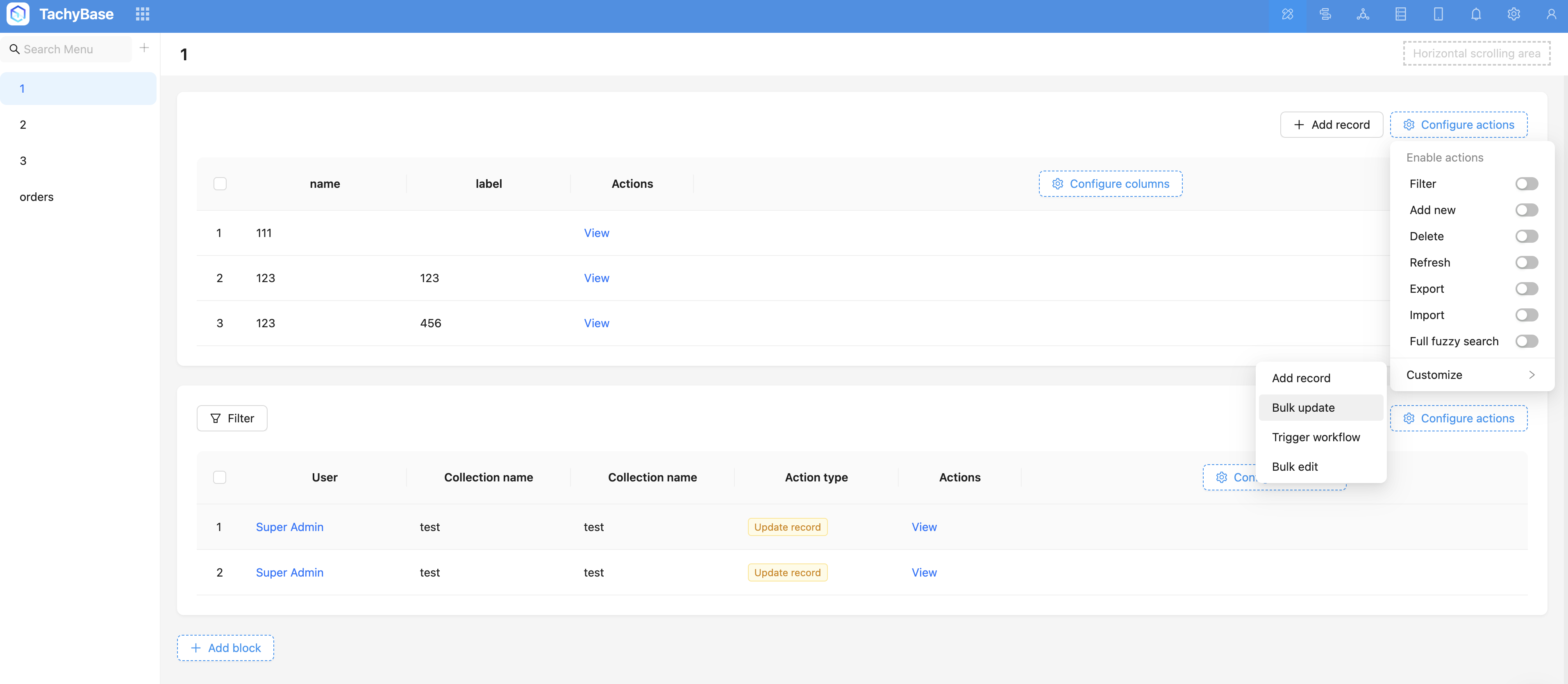
Bulk edit operations are suitable for batch data processing scenarios with high flexibility requirements. After users click the bulk edit button, they configure the bulk edit form in a popup to specify different assignment logic for fields.
Installation
Built-in plugin, no separate installation required
User Guide
-
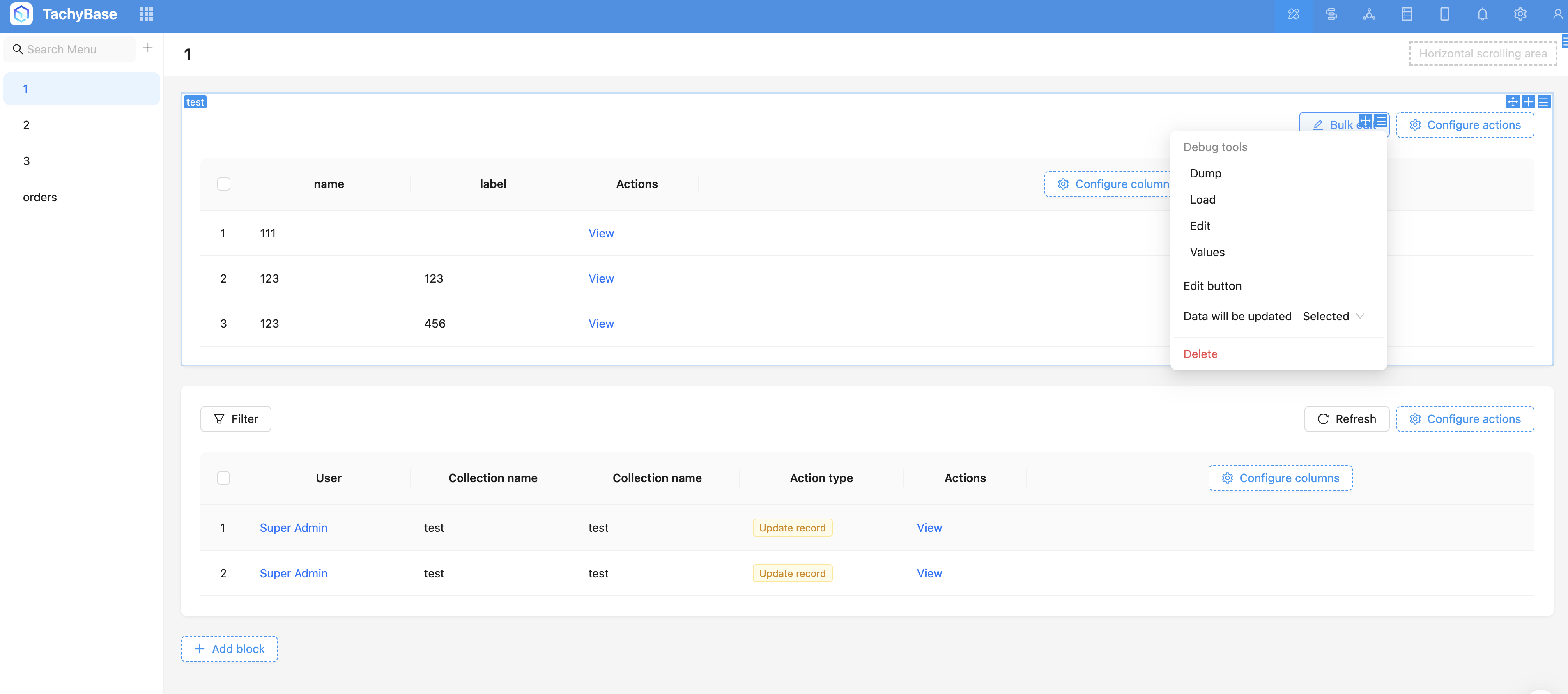
Set bulk edit data: Selected/All, default is selected.
-
Set update logic for fields, supports setting logic for specific fields.
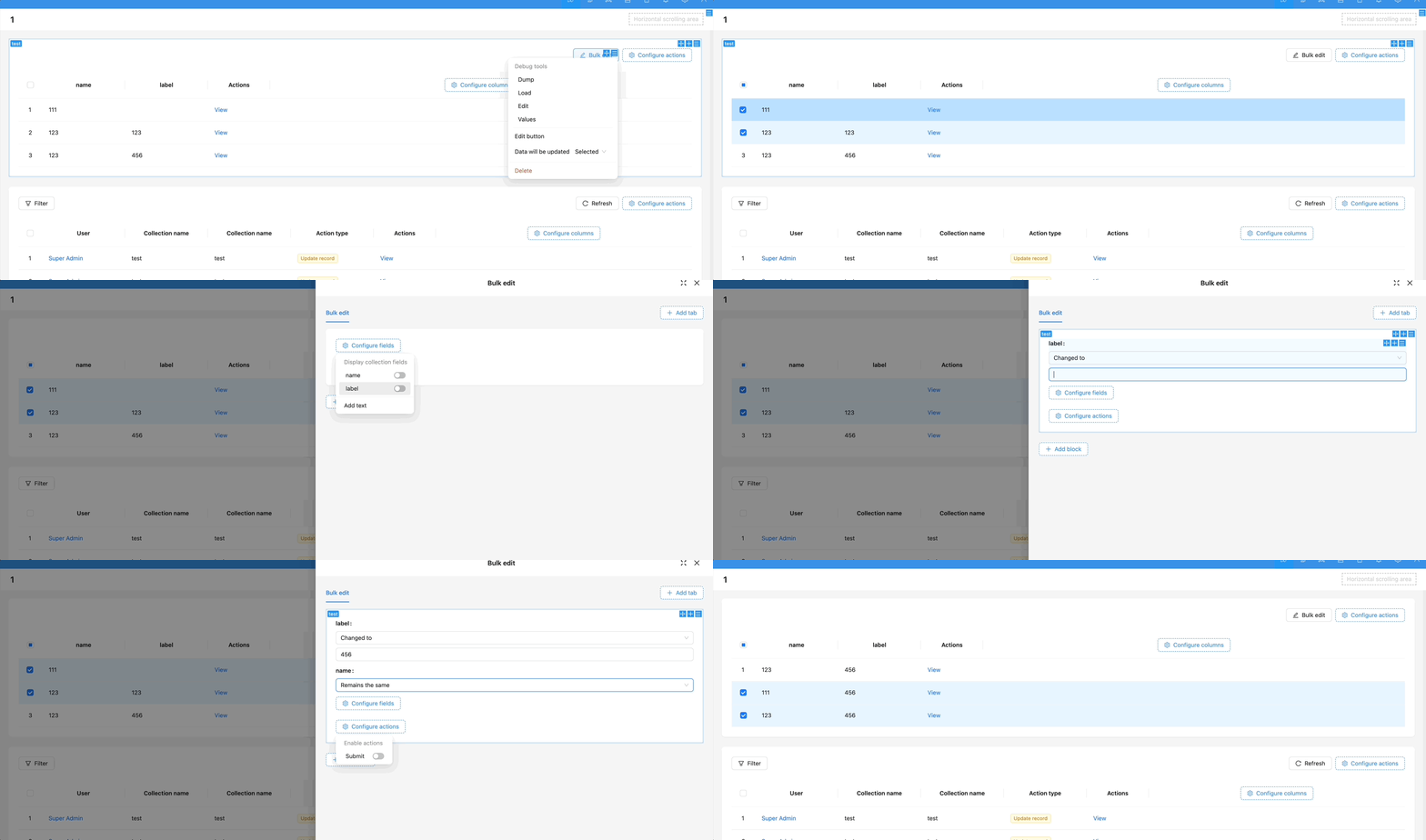
Example: Configure bulk edit operation in waybill table block, bulk edit selected data, change transport mode to air transport, and clear confirmed delivery and actual arrival time.
For more bulk edit form content, refer to Bulk Edit Form
Total visits times Total visitors times Total reading times. Powered by Tego Team