

Execution Plan (History Records)
After each workflow is triggered, a corresponding execution plan is created to track the execution process of this task. Each execution plan has a status value to indicate the current execution status, which can be viewed in both the execution history list and details:
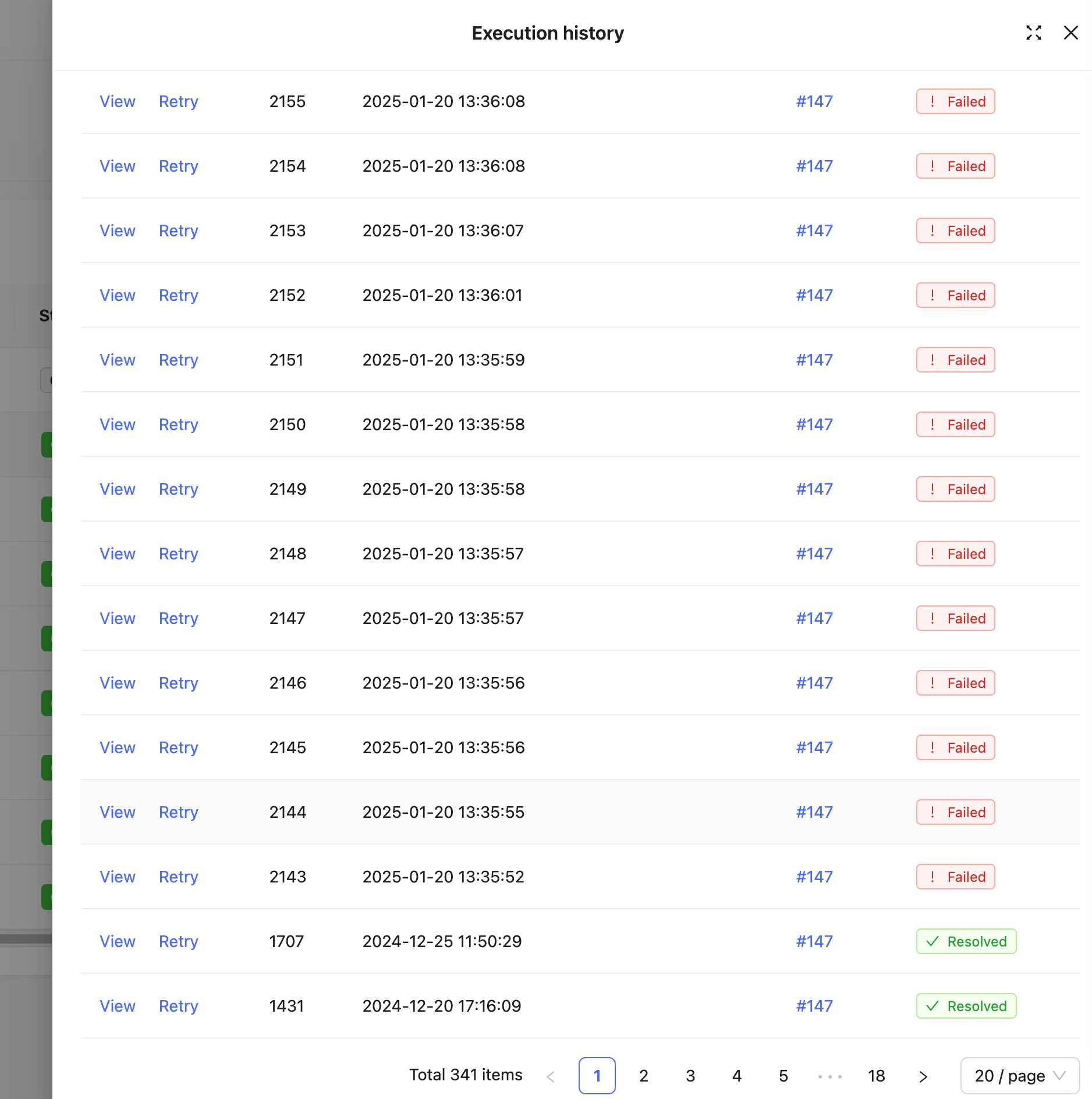
When all nodes in the main process branch execute to the end of the process with "Completed" status, the entire execution plan will end with "Completed" status. When nodes in the main process branch have terminal states such as "Failed", "Error", "Canceled", "Rejected", etc., the entire execution plan will terminate early with the corresponding status. When nodes in the main process branch have a "Waiting" status, the entire execution plan will pause execution but still display "In Progress" status until the waiting node is resumed and continues execution. Different node types handle the waiting status differently. For example, manual nodes need to wait for manual processing, while delay nodes need to wait until the time arrives before continuing execution.
The execution plan statuses are as follows:
| Status | Corresponding Main Process Last Executed Node Status | Meaning |
|---|---|---|
| Queued | - | Process has been triggered and execution plan generated, queued waiting for scheduler to arrange execution |
| In Progress | Waiting | Node requires pause, waiting for further input or callback before continuing |
| Completed | Completed | No problems encountered, all nodes executed one by one as expected. |
| Failed | Failed | Failed due to node configuration not being met. |
| Error | Error | Node encountered uncaught program error, ended early. |
| Canceled | Canceled | Waiting node was canceled externally by process manager, ended early |
| Rejected | Rejected | In manual processing nodes, was manually rejected and will not continue subsequent process |
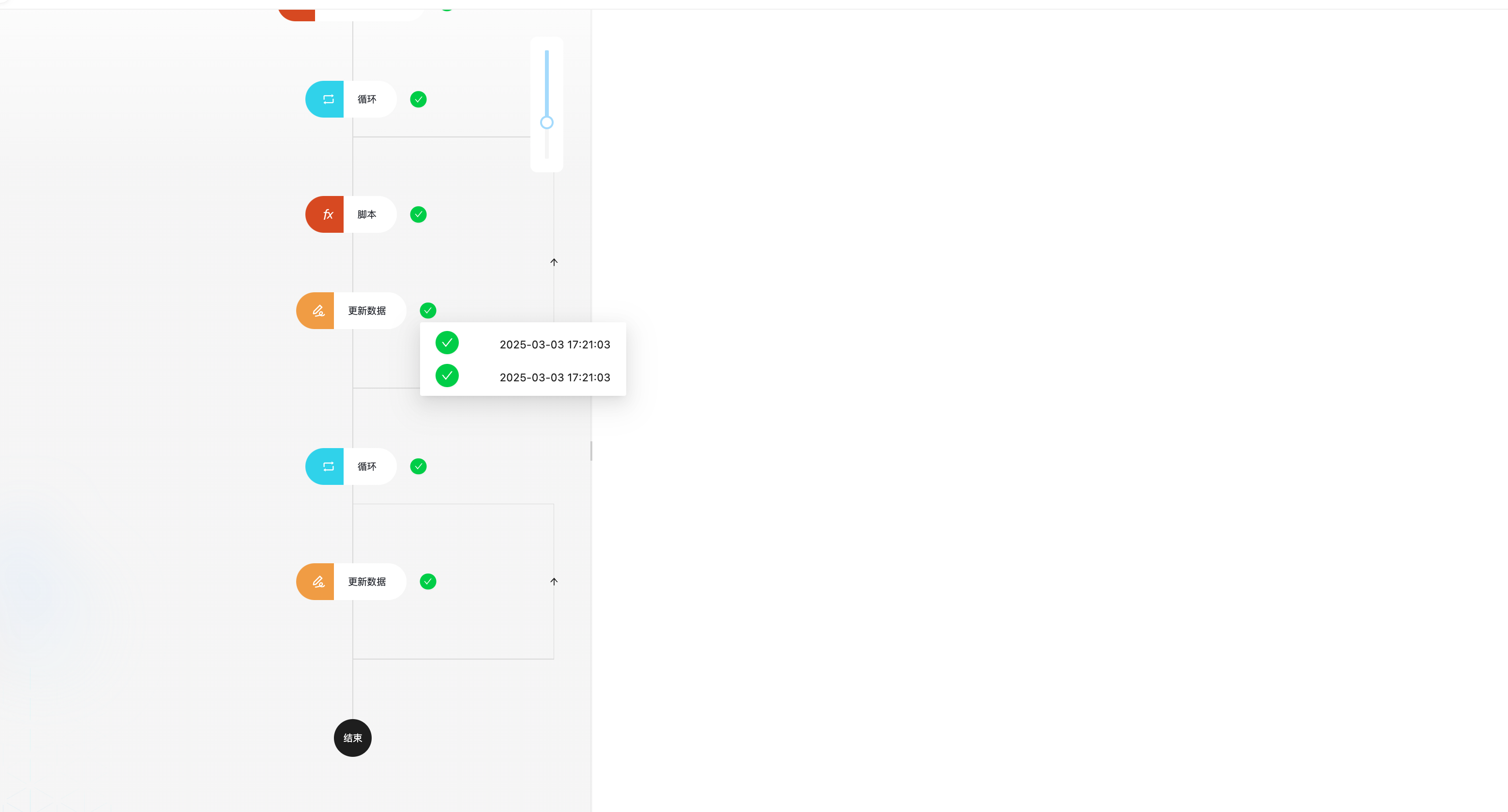
In the example in [Quick Start], we already know that viewing the details of workflow execution history can check whether all nodes executed normally during execution, as well as the execution status and result data of each executed node. In some advanced processes and nodes, the node's results may also have multiple, such as the results of loop nodes:
Workflows can be triggered concurrently, but execution is queued one by one. Even if multiple workflows are triggered simultaneously, they will execute sequentially, not in parallel. So when the "Queued" status appears, it means other workflows are executing and need to wait.
The "In Progress" status only means that the execution plan has started and is usually paused due to the waiting status of internal nodes. It does not mean that the execution plan has occupied the execution resources at the head of the queue. So when there are "In Progress" execution plans, other "Queued" execution plans can still be scheduled to start execution.
Node Execution Status
The status of the execution plan is determined by the execution of each node within it. In an execution plan after a trigger, each node will produce an execution status after execution. The status will determine whether the subsequent process continues to execute. Under normal circumstances, after a node executes successfully, it will continue to execute the next node until all nodes are executed in sequence or are interrupted. When process control-related nodes are encountered, such as branches, loops, parallels, delays, etc., the next node's execution direction will be determined according to the node's configured conditions and runtime context data.
The possible statuses after each node executes are as follows:
| Status | Is Terminal State | Terminates Early | Meaning |
|---|---|---|---|
| Waiting | No | No | Node requires pause, waiting for further input or callback before continuing |
| Completed | Yes | No | No problems encountered, executed successfully, continue executing next node until end. |
| Failed | Yes | Yes | Failed due to node configuration not being met. |
| Error | Yes | Yes | Node encountered uncaught program error, ended early. |
| Canceled | Yes | Yes | Waiting node was canceled externally by process manager, ended early |
| Rejected | Yes | Yes | In manual processing nodes, was manually rejected and will not continue subsequent process |
Except for the waiting status, other statuses are terminal states of node execution. Only when the terminal state is "Completed" will it continue execution, otherwise it will terminate the entire process execution early. When a node is in a branch process (parallel branch, condition judgment, loop, etc.), the terminal state produced by node execution will be taken over by the node that opened the branch, and so on to determine the flow of the entire process.
For example, when we use a condition node in "Continue if 'Yes'" mode, if the result is "No" during execution, it will terminate the entire process execution early and exit with a failed status, no longer executing subsequent nodes, as shown below:
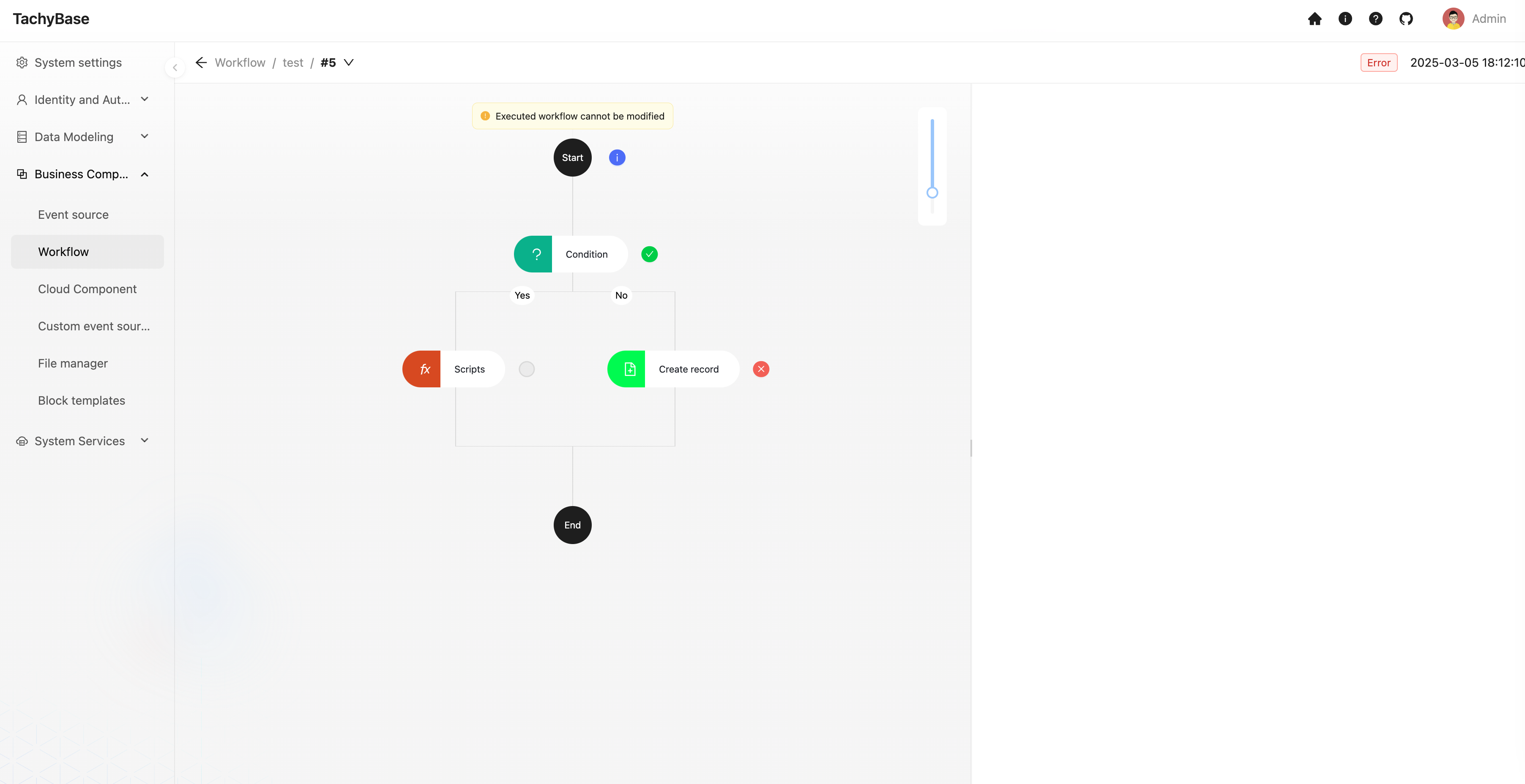
All non-"Completed" termination statuses can be considered failures, but the reasons for failure are different. You can further understand the reason for failure by viewing the node's execution results.