

Fields
In user interface design, field components are the main carriers of data. Different types of data are presented and displayed through different field components. It should be noted that fields cannot exist independently and must be attached to blocks to be used normally.
Fields in Blocks
Fields are usually not used alone but exist as child elements in data type blocks. Each data type block usually contains "Configure Fields", and the list of these fields is provided by the current data table.
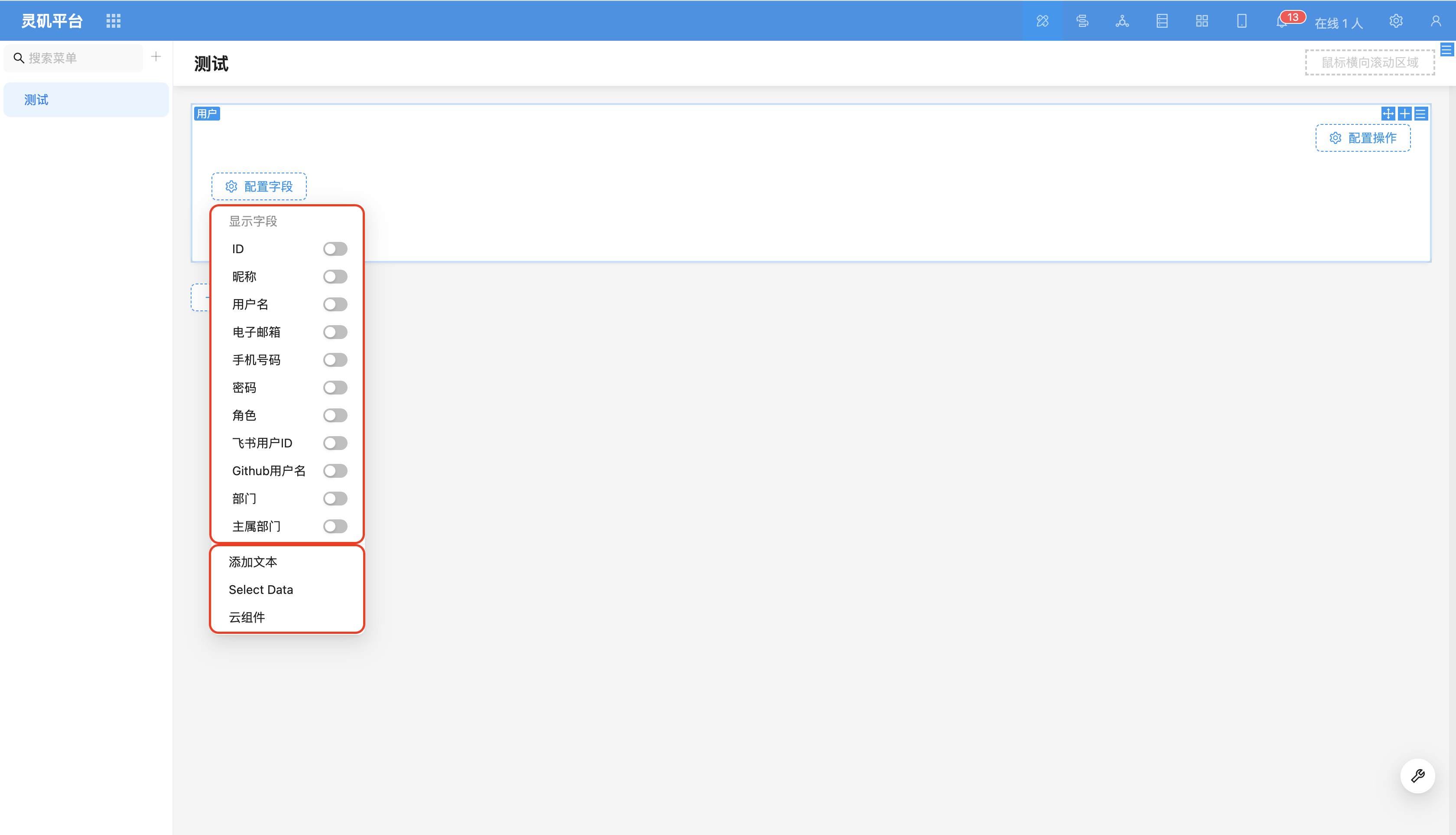
Field Designer (Toolbar)
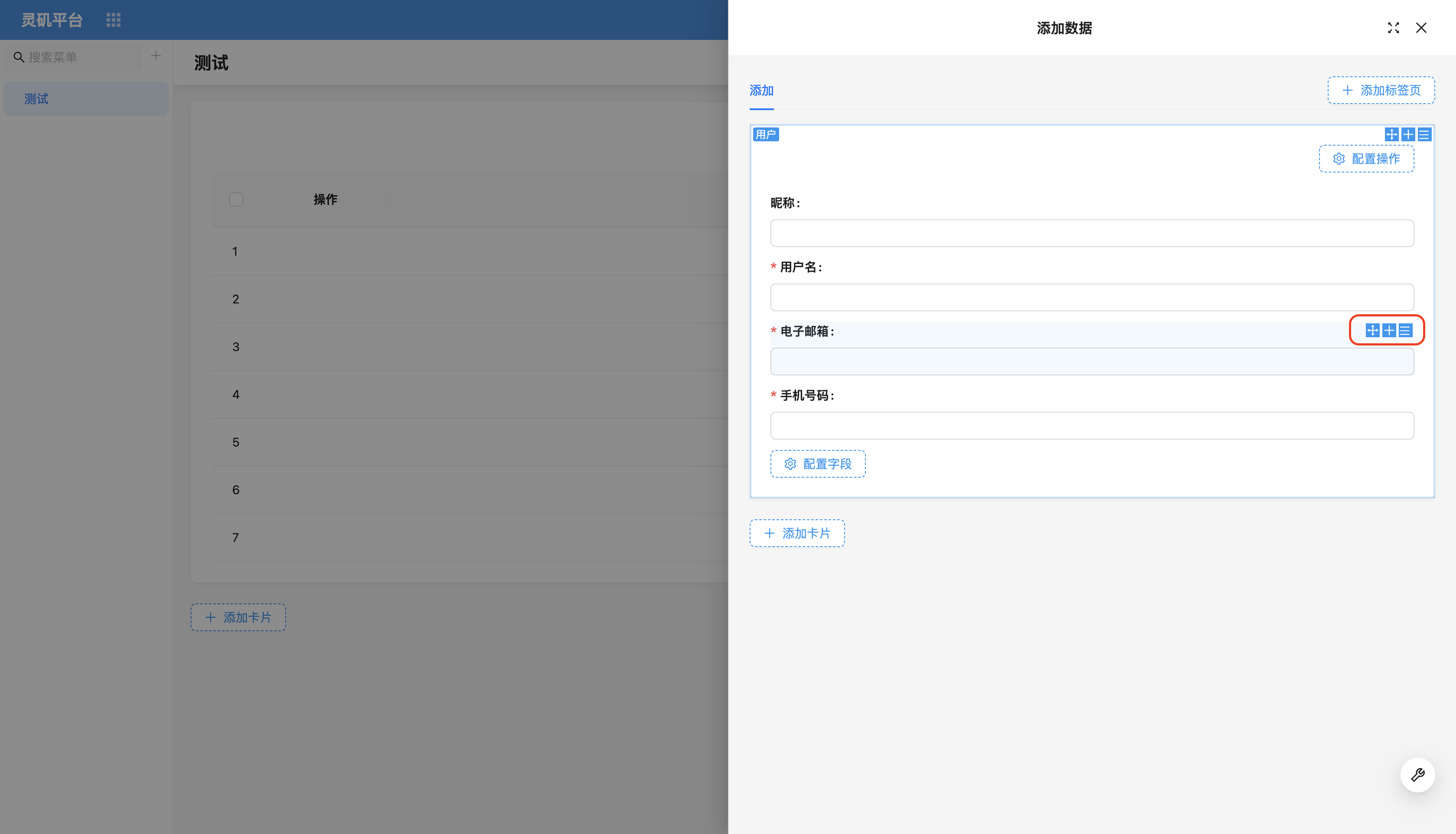
Similar to blocks, the upper right corner of field components is also equipped with three functional icons:
- Drag and drop layout
- Quick add field
- Field parameter configuration
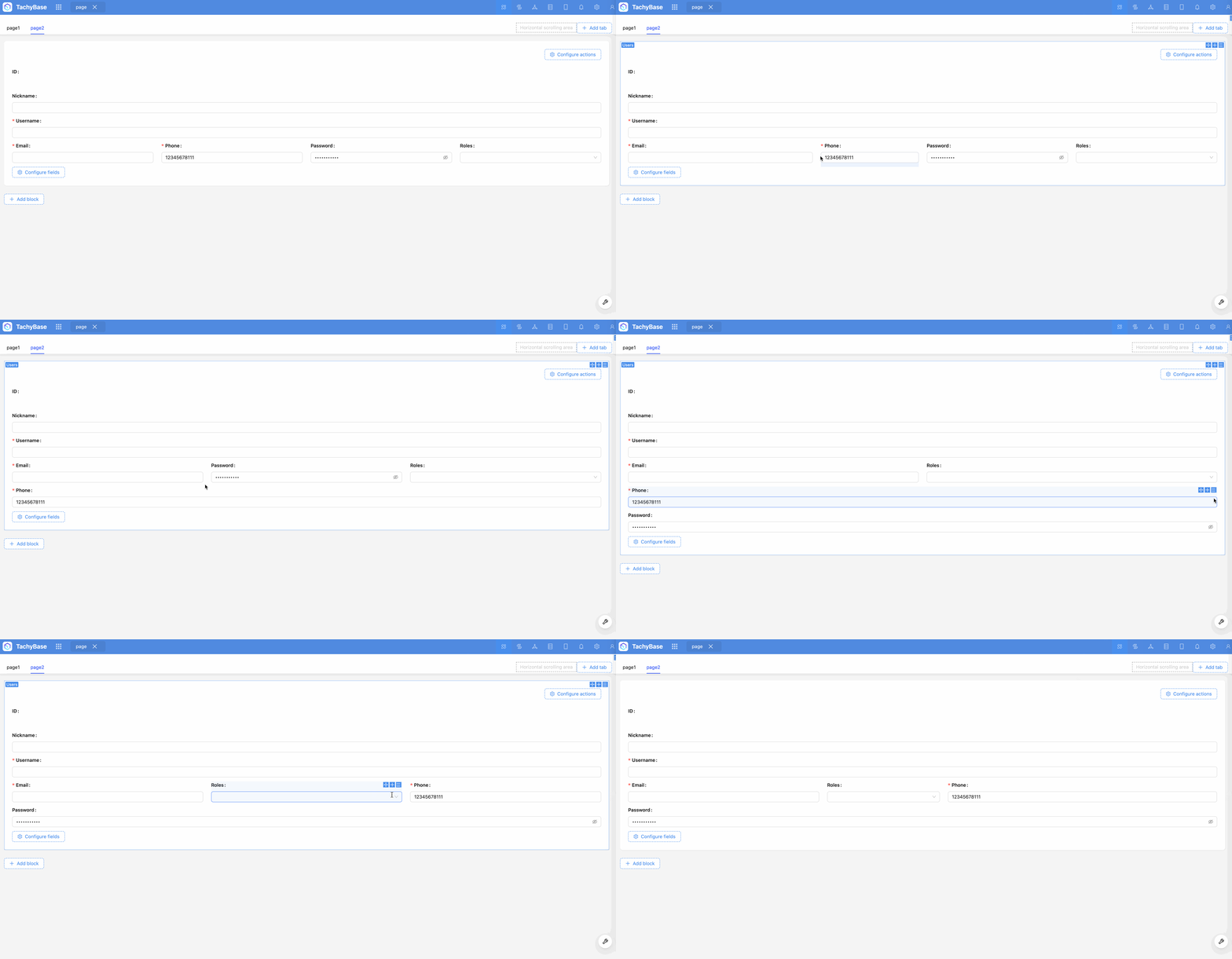
Field Layout
You can flexibly customize the position and arrangement of fields in blocks through drag and drop.
Total visits times Total visitors times Total reading times. Powered by Tego Team