

Default Value
Introduction
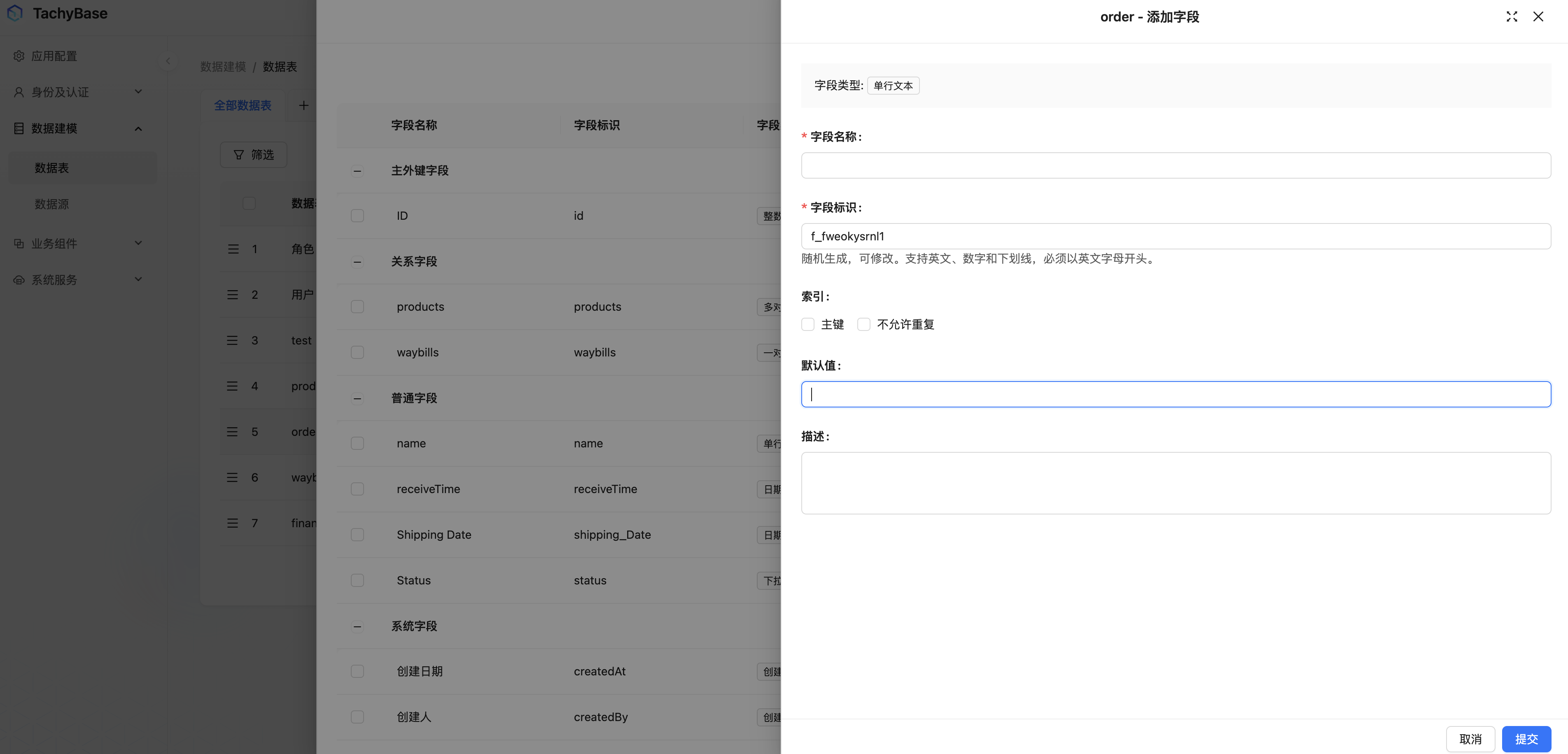
Default value is the initial value of a field in create state. Default values can be set when configuring fields in data tables, or default values can be specified for fields in create form blocks, which can be set as constants or variables.
Where Can Default Values Be Configured
Data Table Fields
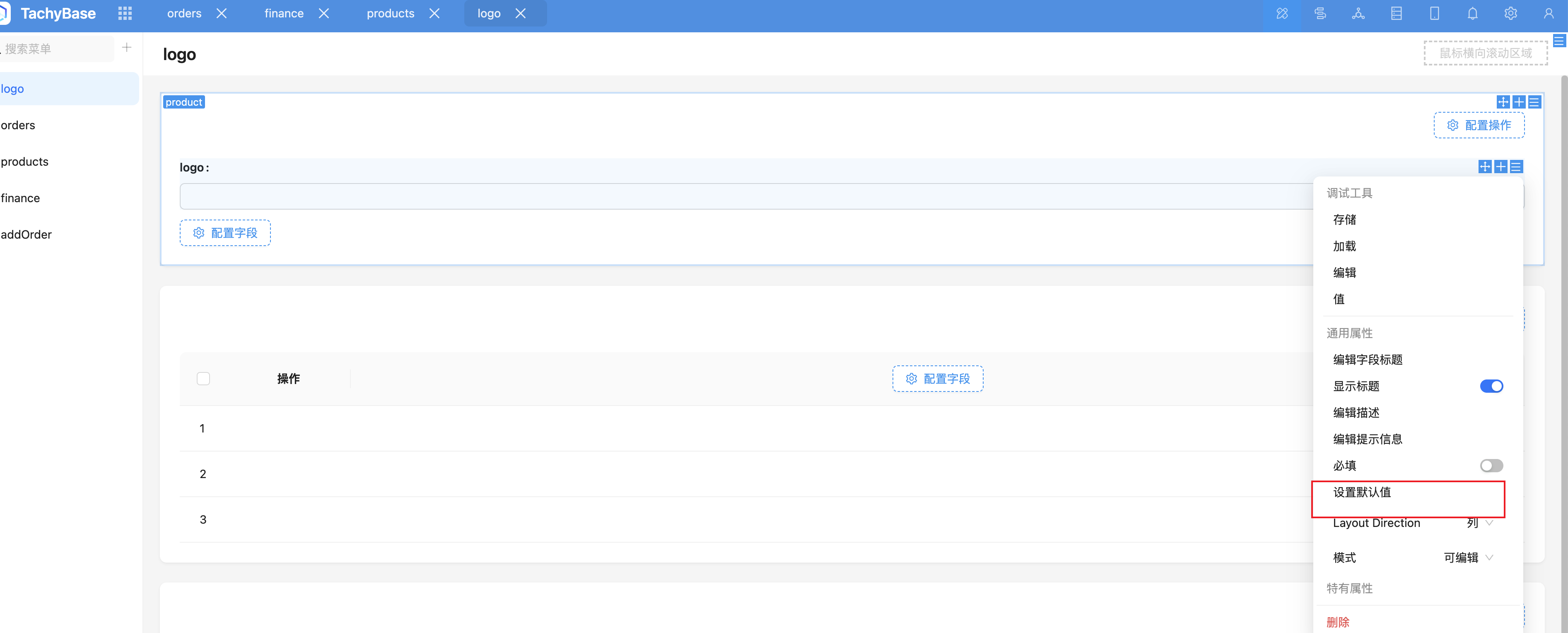
Fields in Create Forms
Most fields in create forms support setting default values.
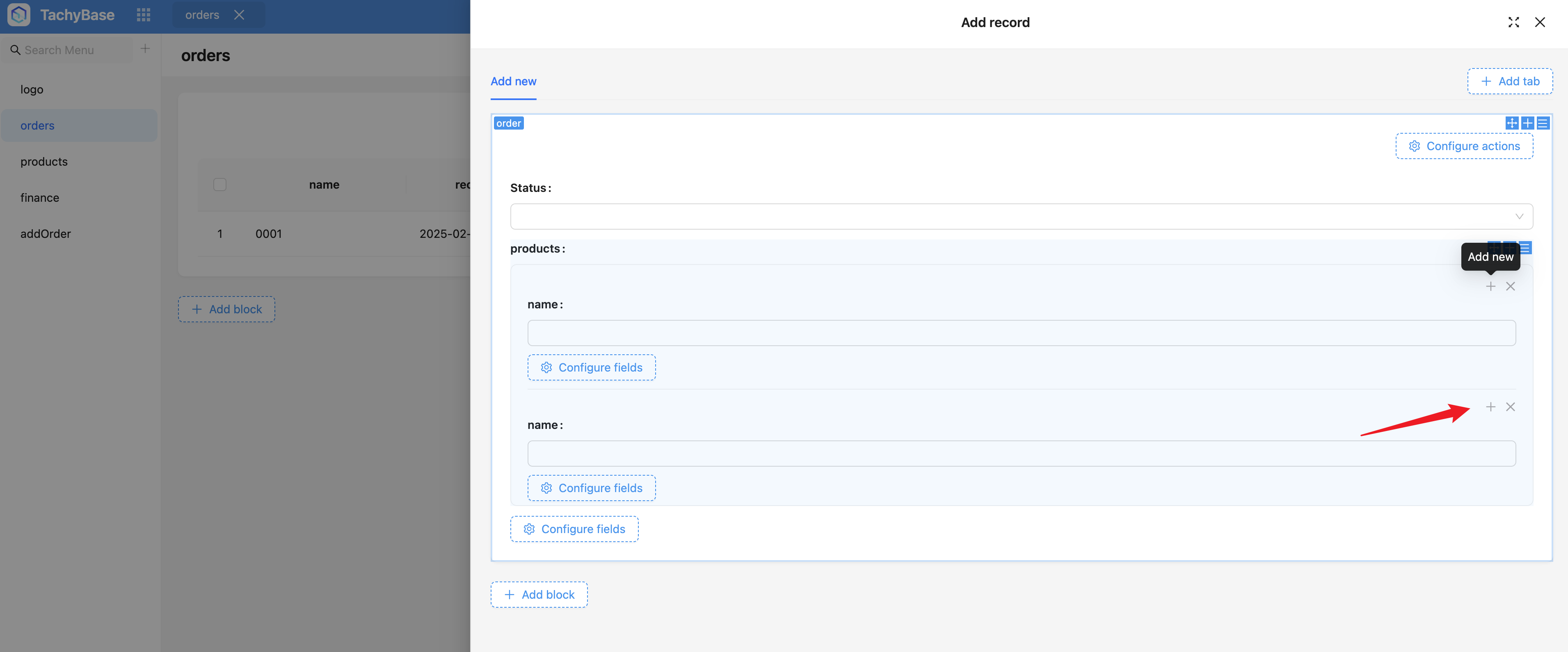
Add in Sub-form
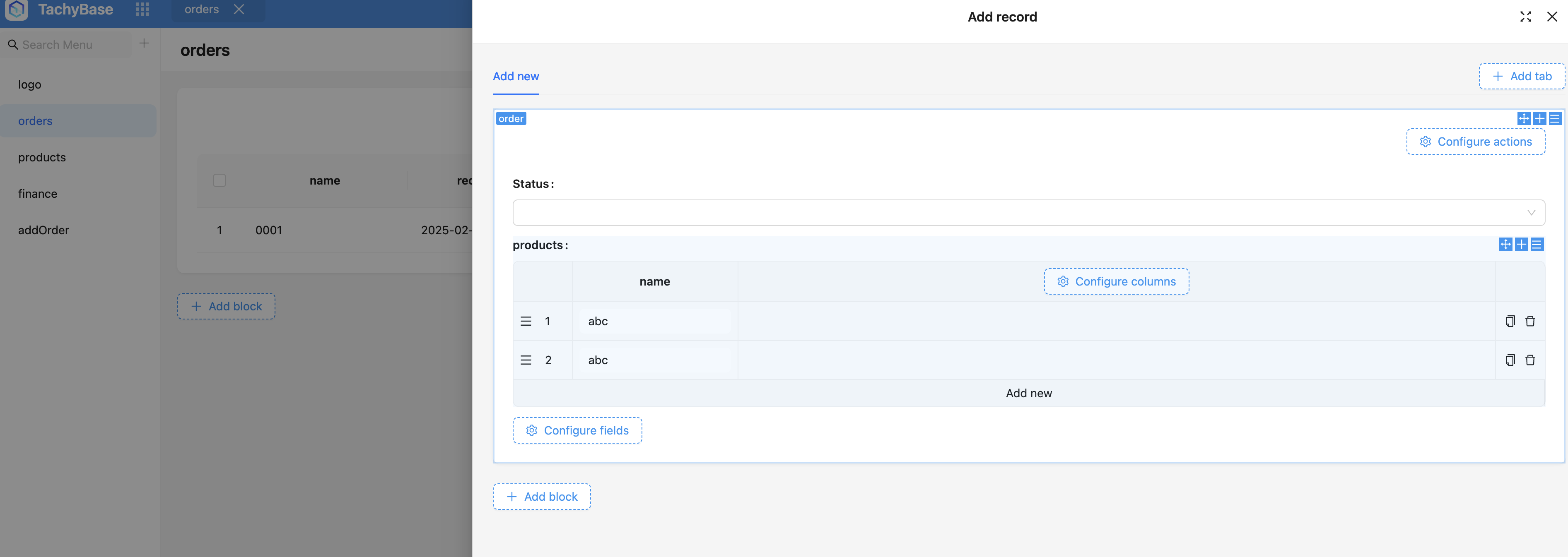
Whether in sub-form fields in create or edit forms, sub-data added has default values.
Sub-form Add new
Sub-table Add new
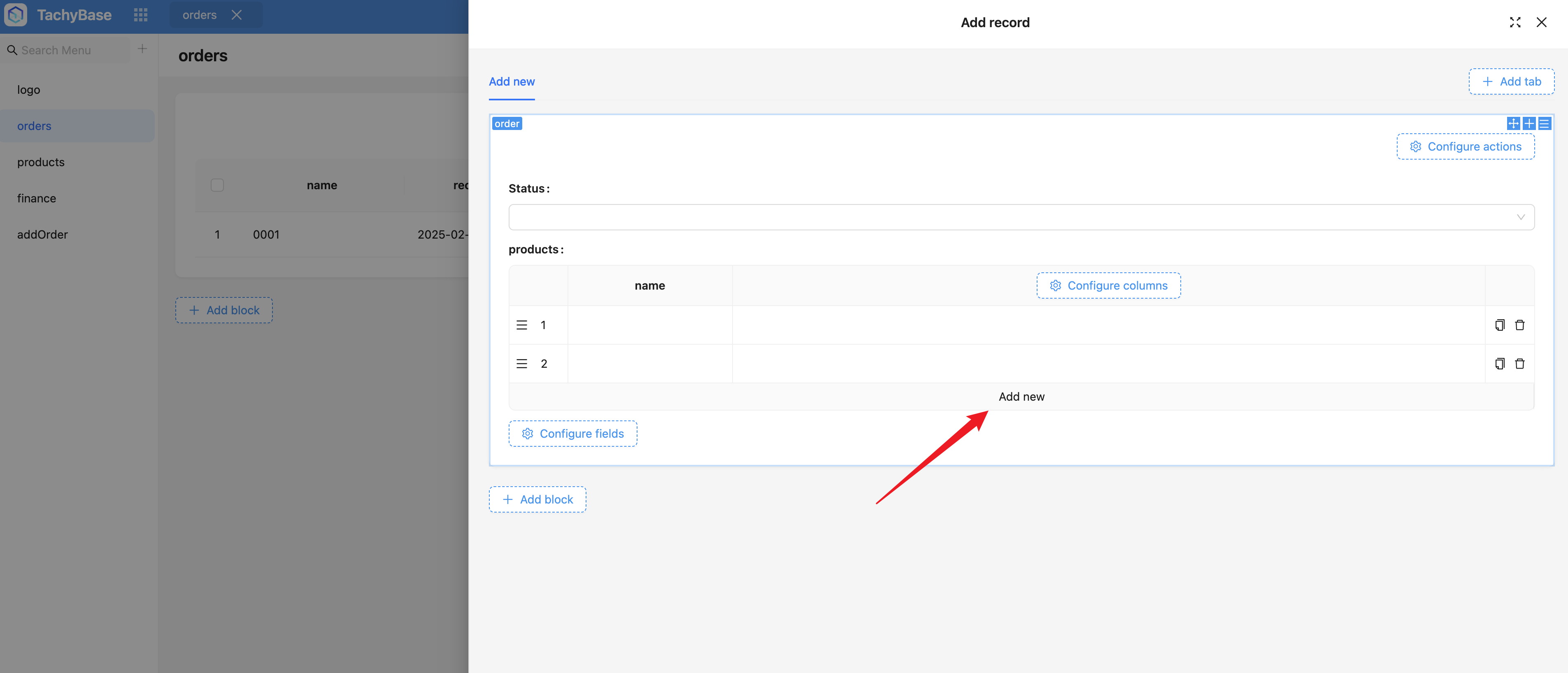
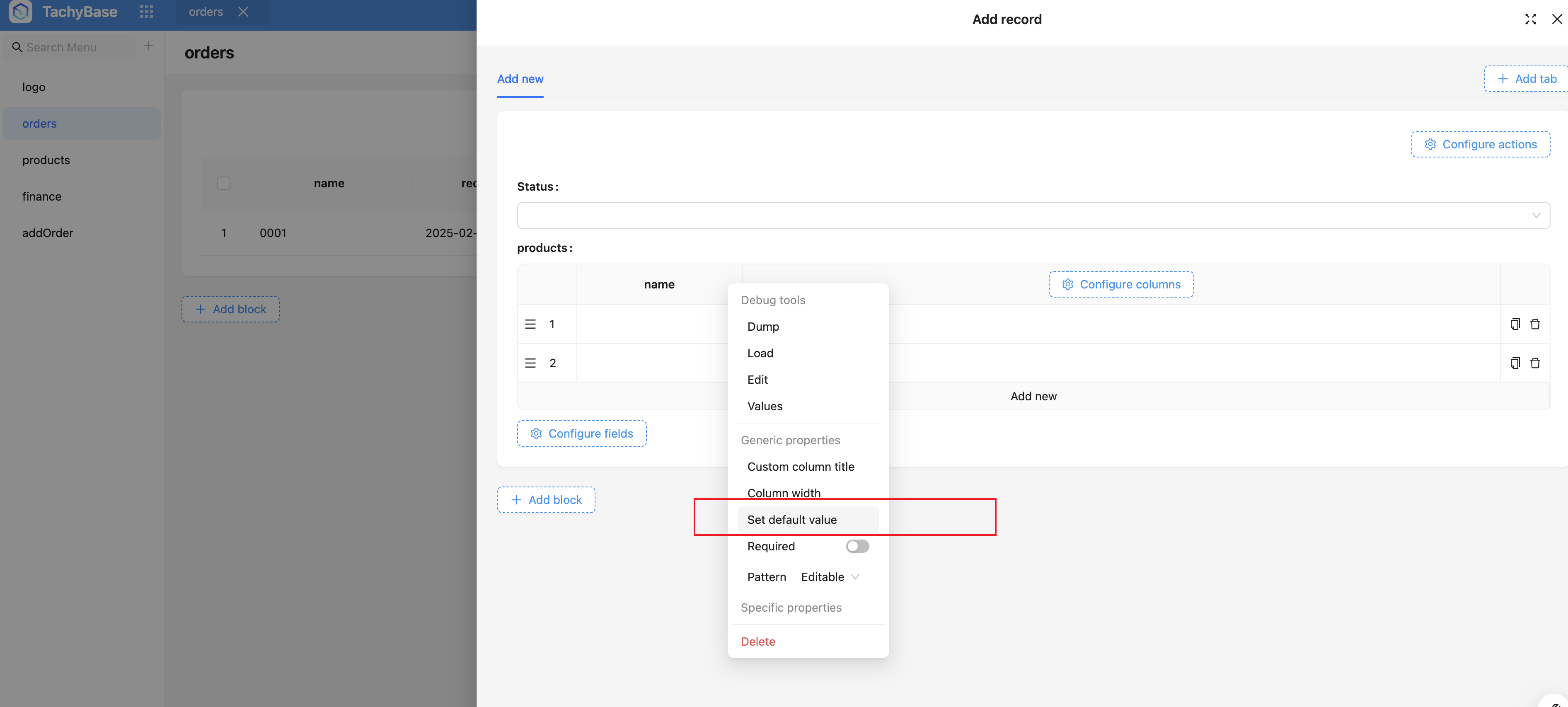
When editing existing data, empty data will not be filled with default values. Only newly added data will be filled with default values, not saved.
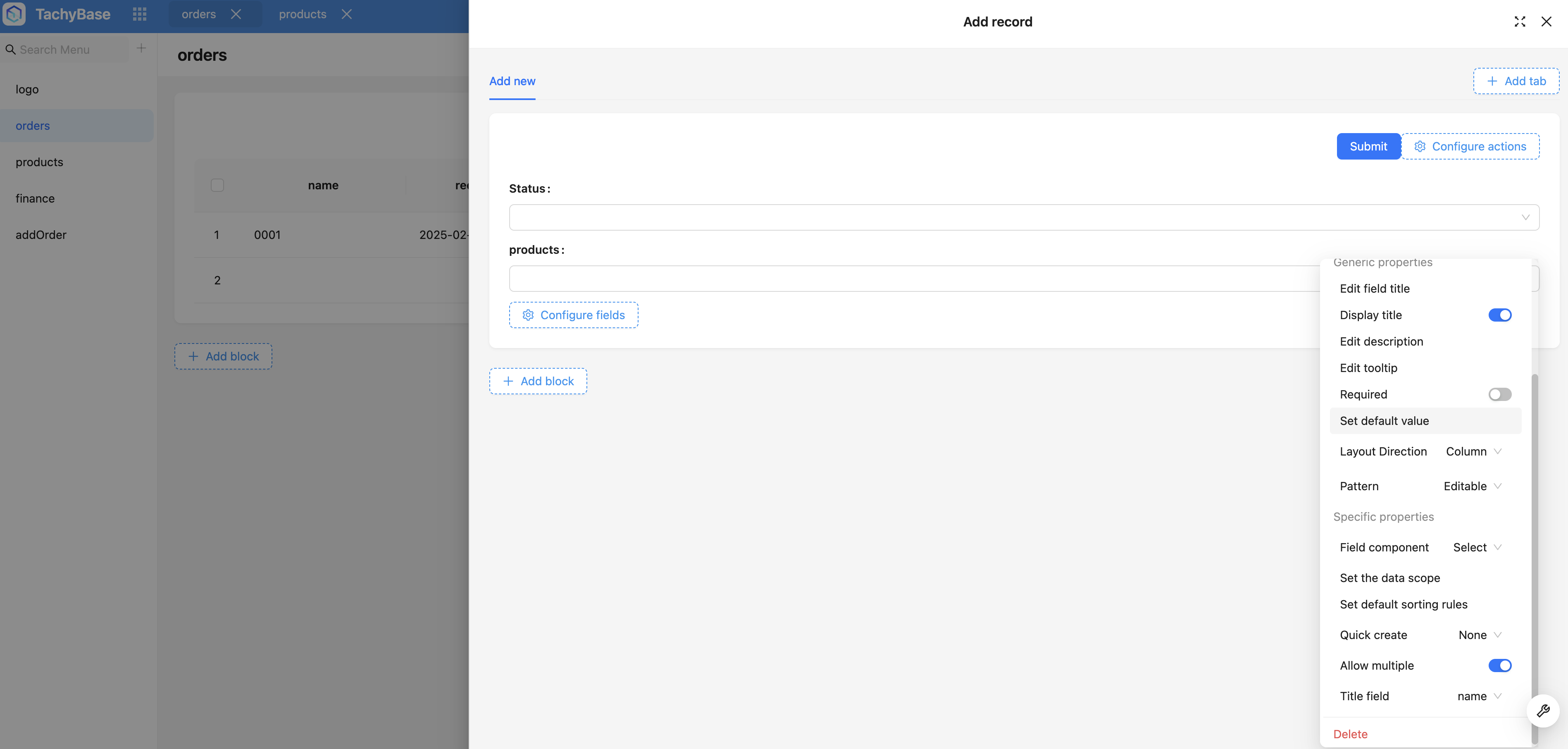
Default Values for Relationship Data
Only Many-to-One and Many-to-Many type relationships using selector components (Select, RecordPicker) have default values.
Default Value Variables
What Variables Are Available
- Date variables;
- Current user;
- Current record, only existing data has the concept of current record;
- Current form, ideally only lists fields in the form;
- Current object, concept in sub-form (each row data object in sub-form);
- Form selected records, currently limited to "Table block + Add Record form" combination;
For more about variables, refer to Variables
Field Default Value Variables
Divided into two categories: non-relationship fields and relationship fields.
Relationship Field Default Value Variables
- Variable object must be a collection record;
- Must be a table on the inheritance chain, can be the current table or parent-child tables;
- "Form Selected Records" variable is only available in "Many-to-Many" and "One-to-Many/Many-to-One" relationship fields;
- When multi-level, needs to be flattened and deduplicated
Non-relationship Default Value Variables
- Type consistent or compatible, such as string compatible with number, and all objects that provide toString method;
- JSON field is special, any data can be stored;
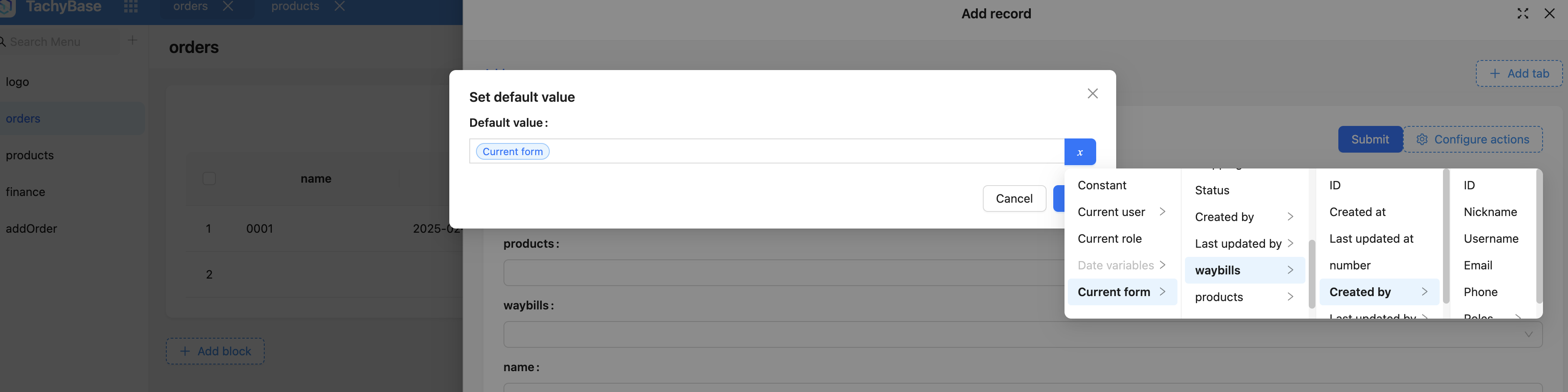
Field Hierarchy (Optional Fields)
-
Non-relationship default value variables
- When selecting multi-level fields, limited to to-one relationships, does not support to-many relationships;
- JSON field is special, can be unrestricted;
-
Relationship default value variables
- hasOne, only supports to-one relationships;
- hasMany, both to-one (internal conversion) and to-many are supported;
- belongsToMany, both to-one (internal conversion) and to-many are supported;
- belongsTo, generally to-one, when parent relationship is hasMany, also supports to-many (because hasMany/belongsTo is essentially a many-to-many relationship);
Special Case Notes
"Many-to-Many" Equivalent to "One-to-Many/Many-to-One" Combination
Model
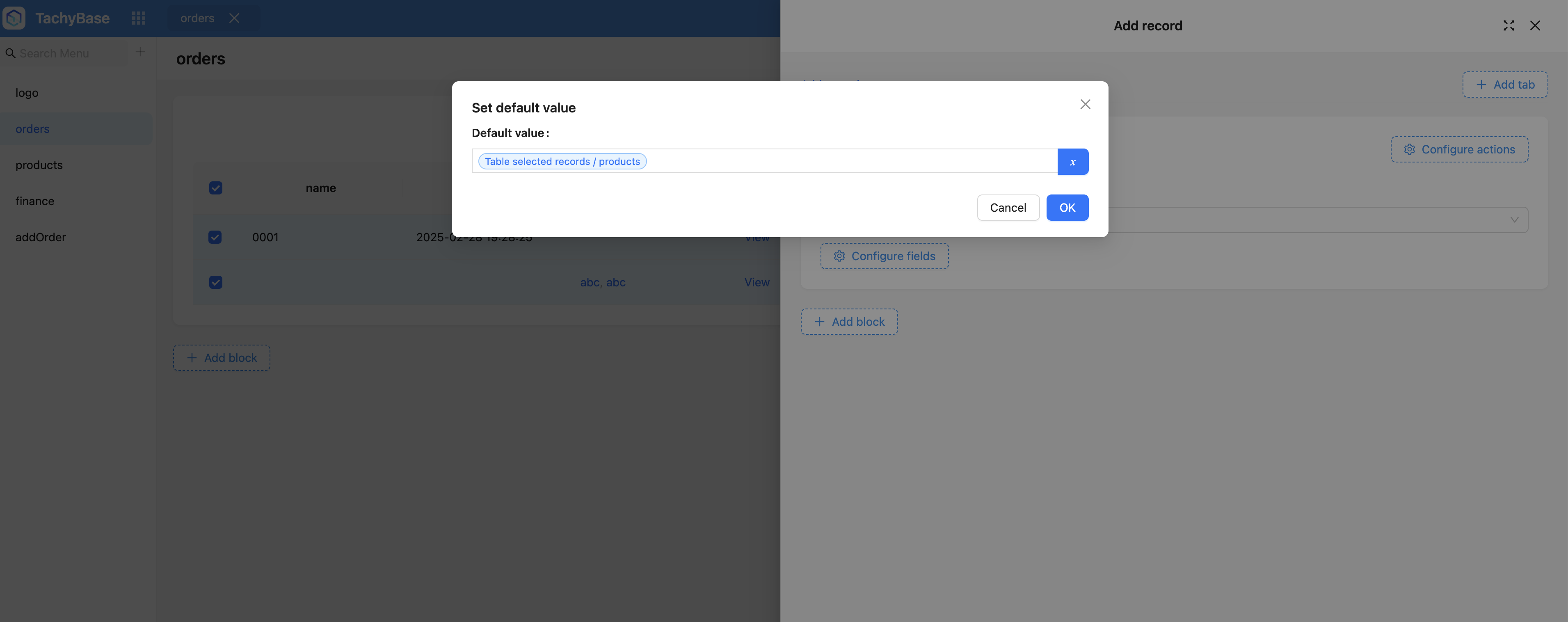
When setting default value variables for many-to-many, if the variable has multiple records, then the selected data will have multiple records, as shown below:
Used when the table block data table is the same as the relationship field data table.
Why Don't One-to-One and One-to-Many Have Default Values?
For example, A.B relationship, if b1 is associated with a1, it cannot be associated with a2. If b1 is associated with a2, it will disassociate from a1. In this case, data is not shared, while default values are a shared mechanism (all can be associated), so one-to-one and one-to-many cannot set default values.
Why Can't Sub-forms or Sub-tables of Many-to-One and Many-to-Many Have Default Values?
Because sub-forms and sub-tables focus on directly editing relationship data (including add, remove), while relationship default values are a shared mechanism, all can be associated, but cannot modify relationship data. So default values are not suitable in this scenario.
Additionally, sub-forms or sub-tables have sub-fields. It would be unclear whether the default value setting for sub-forms or sub-tables is row default value or column default value.
All things considered, it's more appropriate that sub-forms or sub-tables of any relationship cannot directly set default values.