

Duplicate
Duplicate operation allows users to copy a row of data to facilitate creating new data records, supporting two methods: direct duplicate/duplicate to form and continue filling
Direct Duplicate
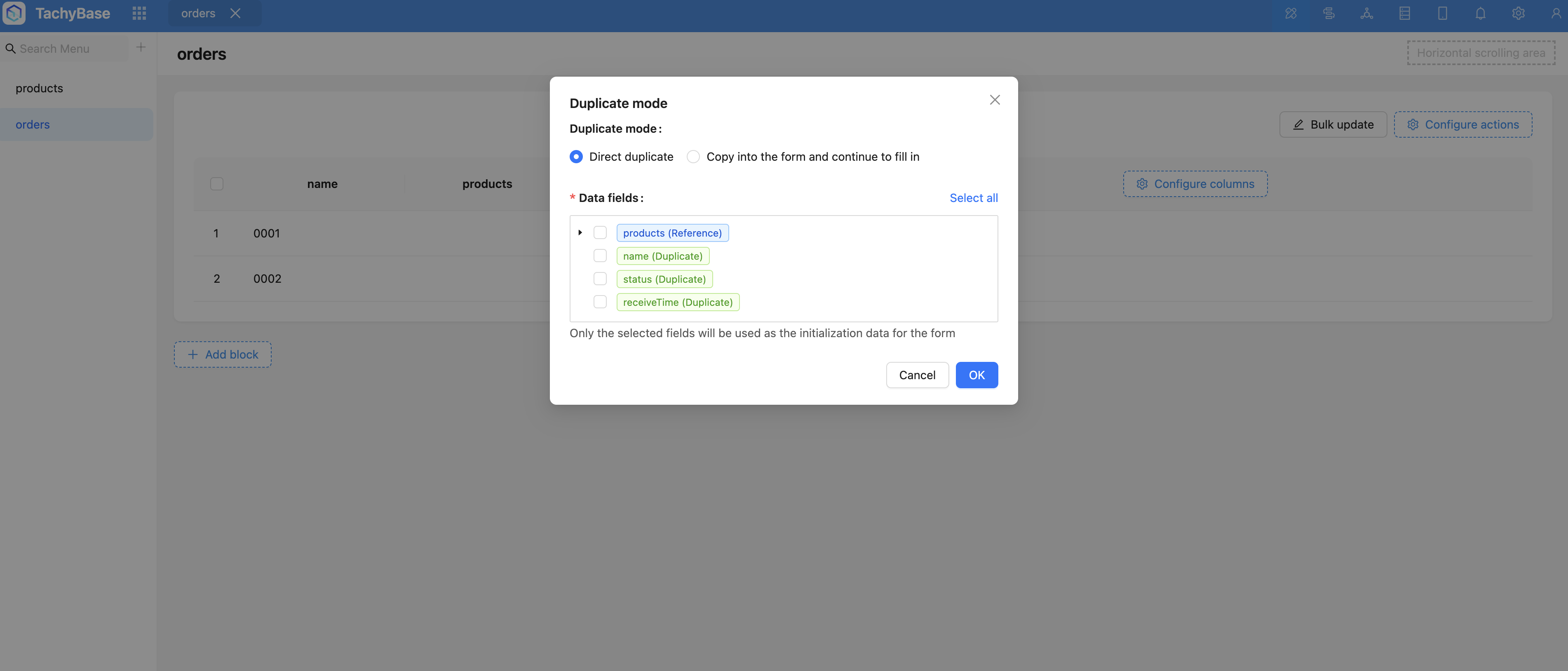
- By default, data is duplicated directly
- Target data table: Refers to the target data table to which the duplicate is added (in inheritance scenarios, can be duplicated to child tables, direct duplicate can only be duplicated and added to the current table)
- Template fields: Used to specify fields to be duplicated, can select all, required
After completing configuration, click the button to duplicate data
Duplicate to form and continue filling
Configured template fields are filled into the form as default values, can be modified and submitted
Current table or child tables can be set as the target table for duplicate addition
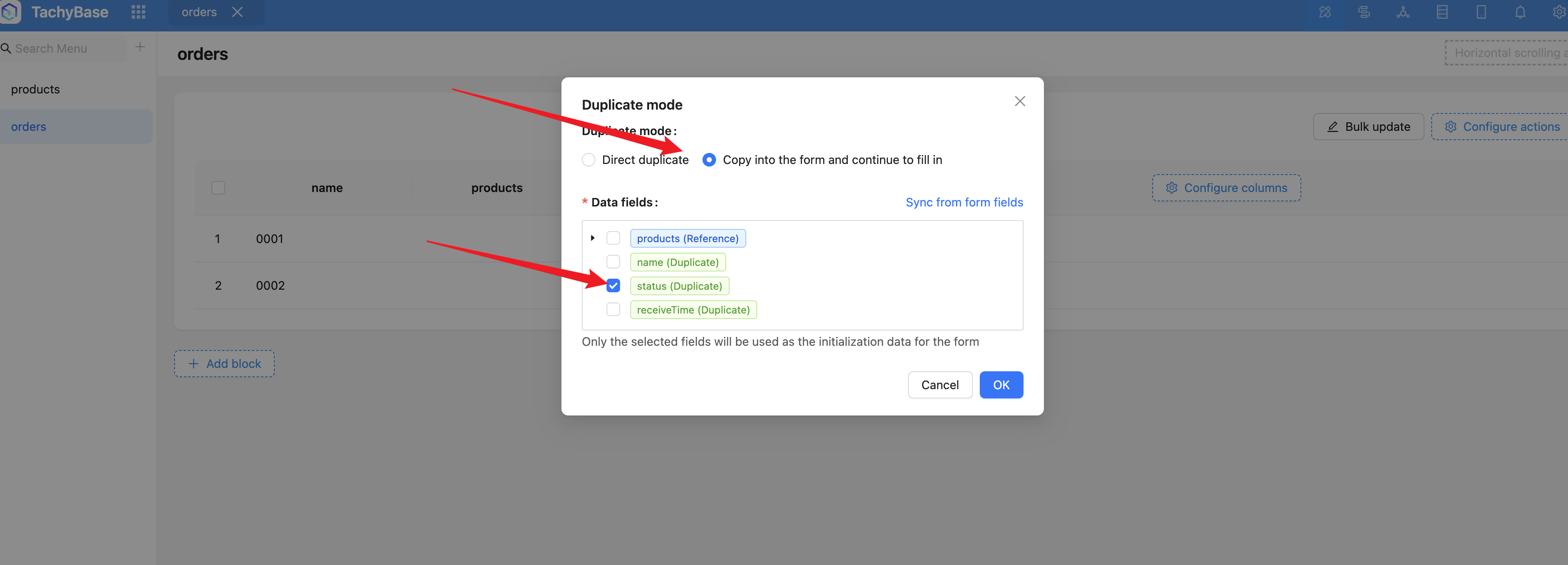
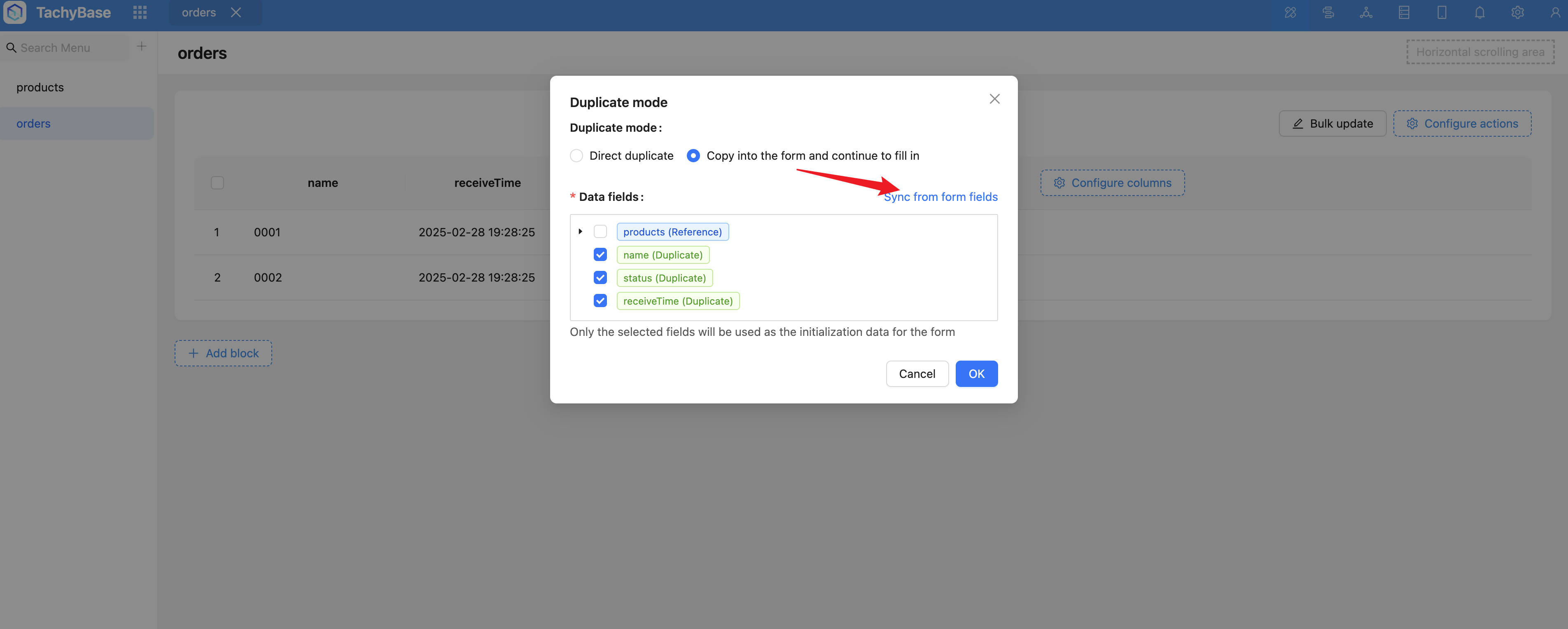
Configure template fields: Template fields will be filled into the form as default values, only checked field values will be brought out
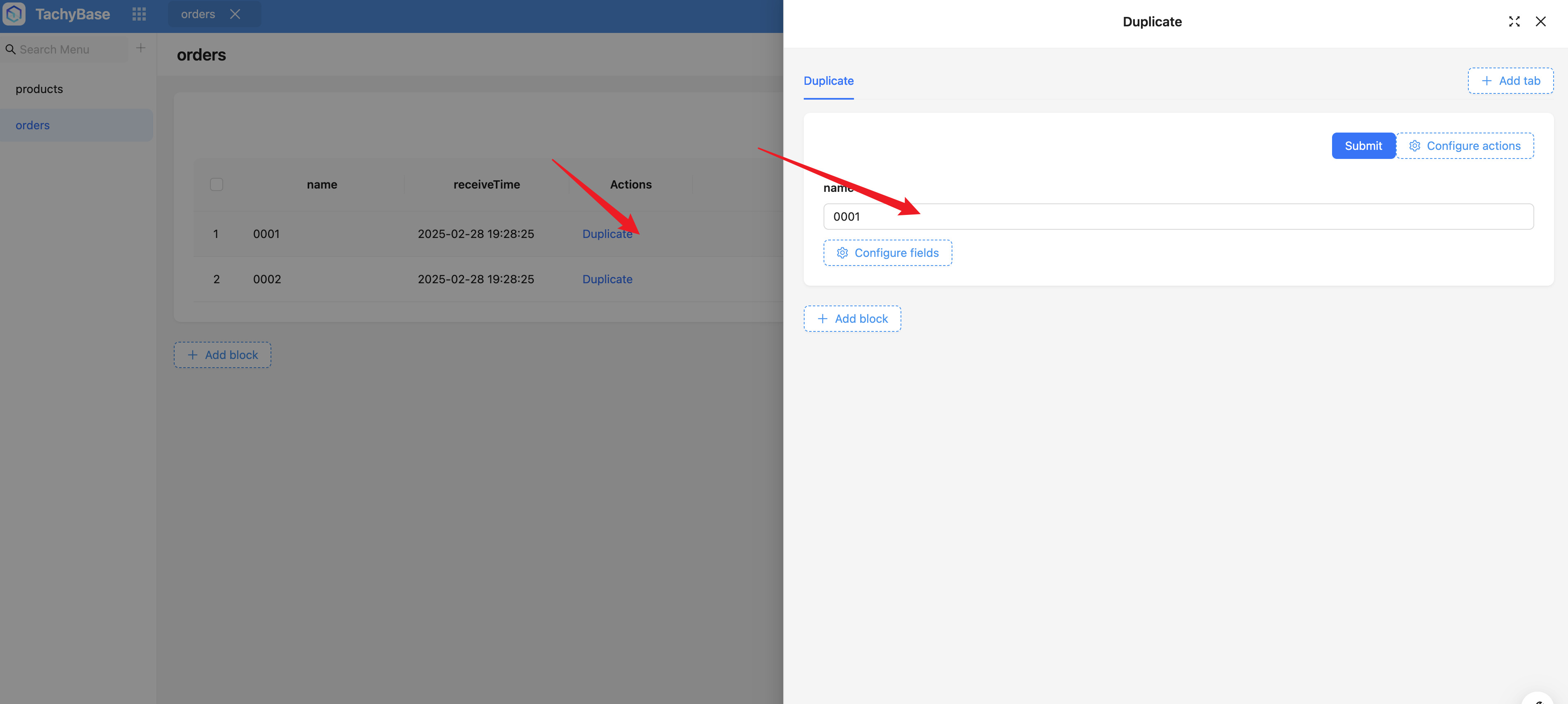
"Waybills" (o2m) is the duplicated relationship, adjust its field component to sub-form, can configure fields in sub-form
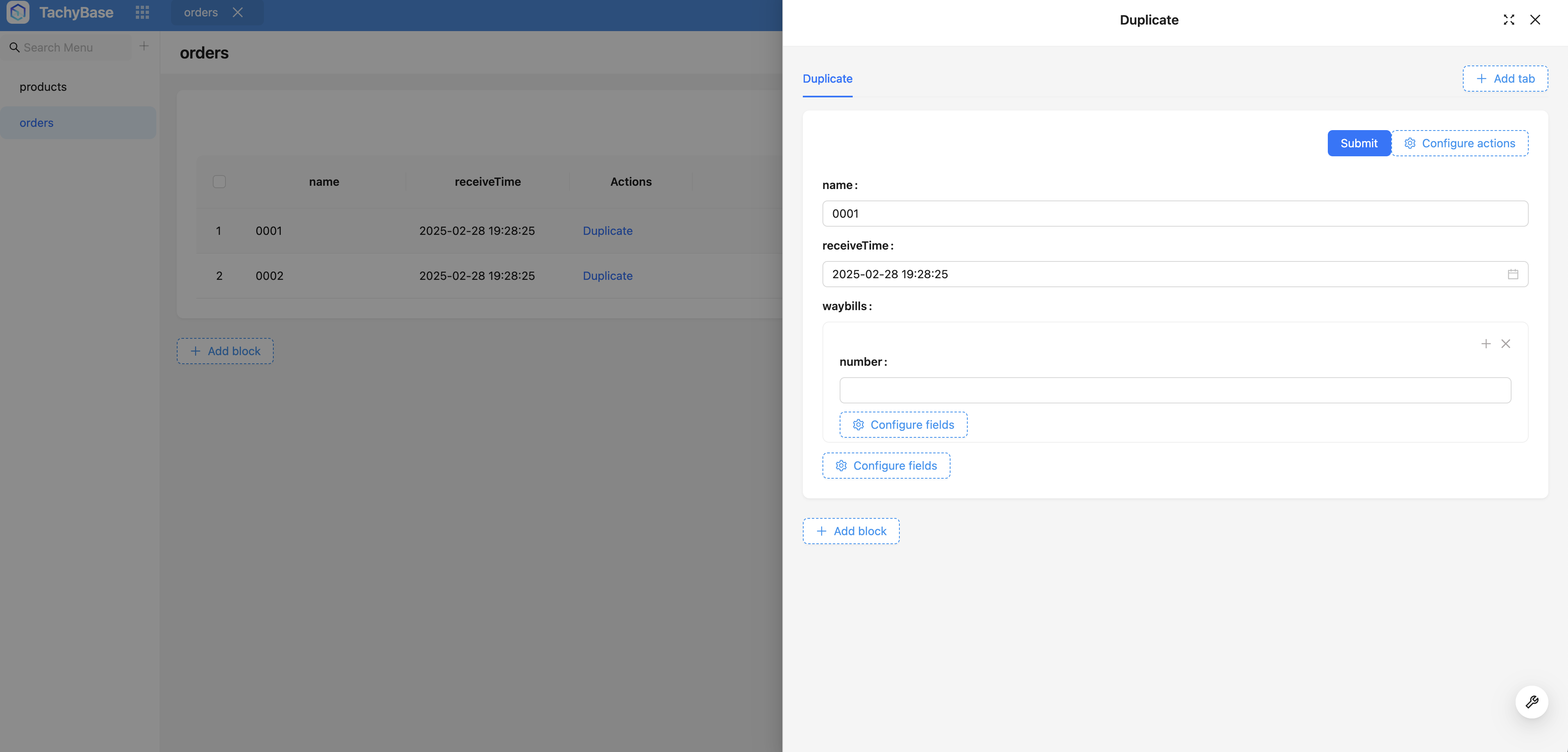
Sync form fields: After completing form configuration, you can click the sync form fields button, which will automatically parse and check all fields already configured in the form (need to manually sync again after each form field configuration modification). After syncing form fields, you can customize and adjust template fields
Clicking the duplicate operation will open a modal, and bring out template data as form default values according to template fields. You can modify data and submit to complete data duplication
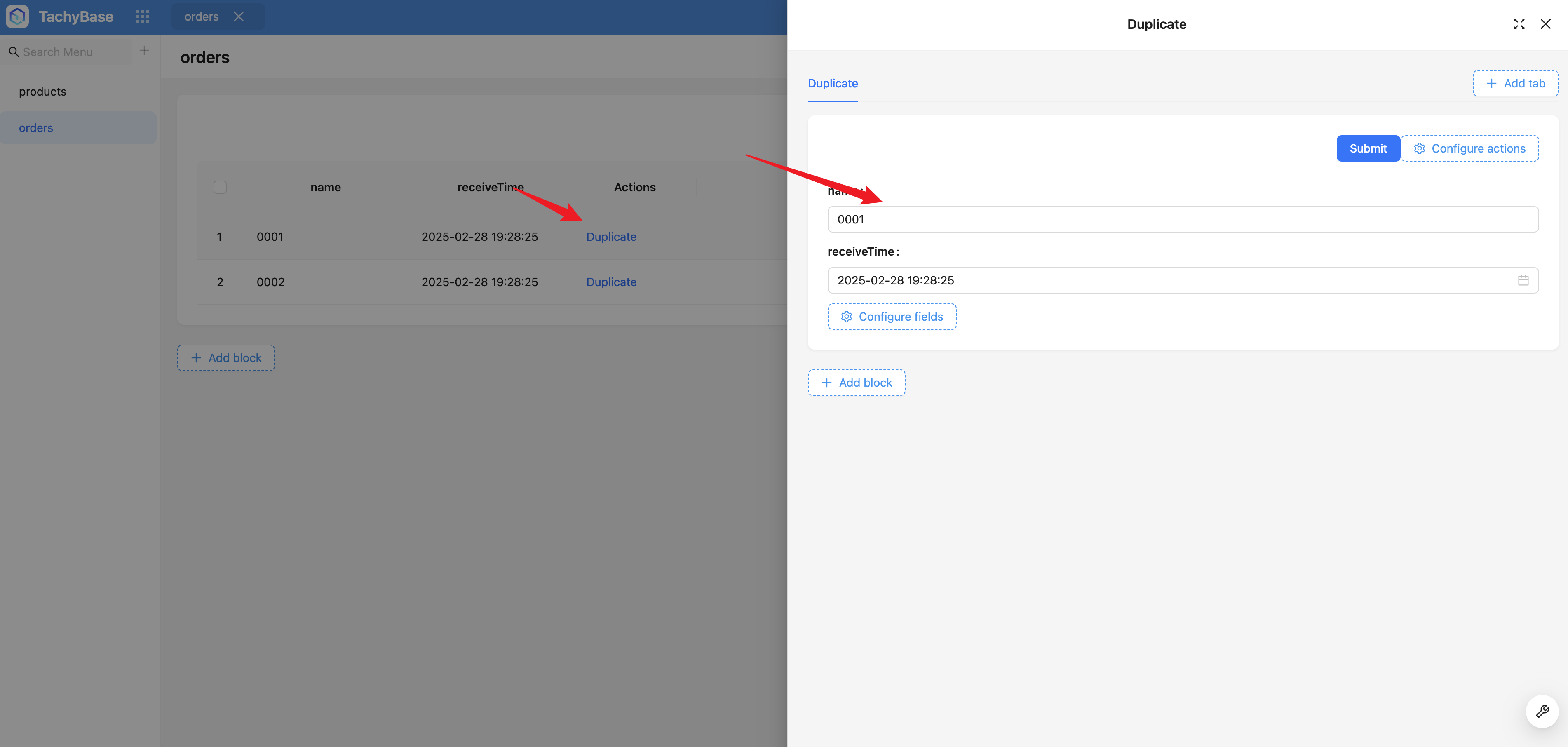
The following complete example configures duplicate operation for order list
Notes on Duplicate, Reference, and Preload
Different fields (different relationship types) have different processing logic (duplicate, reference, preload). Adjusting field components of relationship fields will also affect processing logic (Select and Record picker are used to handle reference relationships, Sub-form and Sub-table are used to handle duplicate relationships)
-
Duplicate
-
Regular fields are duplicated
-
Relationship fields of hasOne and hasMany can only be duplicated (i.e., these types of relationship fields cannot use Select, Record picker as field components, should use Sub-form, Sub-table, etc.)
- Changes in hasOne and hasMany field components will not change processing logic (duplicate)
- For duplicated relationship fields, all sub-fields can be selected
-
-
Reference
- belongsTo and belongsToMany are references
- Reference can possibly become duplicate. For example, after the field component is adjusted from select to sub-form, the relationship changes from reference to duplicate (after becoming duplicate, all sub-fields are optional)
-
Preload: Relationship fields within reference fields
- Relationship fields under reference relationship fields are preloaded
- Preloaded relationship fields may become reference or duplicate after field component changes
About Select All
- All duplicate fields are checked
- All reference fields are checked
Template Data Processing Logic
- All relationship fk will be filtered out
- If it's duplicated relationship data, pk will also be filtered out
- Reference and preload have pk field
How to Understand Sync Form Fields
In most scenarios, form configuration involves a very large number of fields. When handling such complex form scenarios, manually configuring template fields usually becomes very tedious. To solve this problem, a powerful sync form fields button was introduced. The purpose of this button is to automatically parse form field configuration, and process field duplicate logic based on field types and relationship field component configuration, including duplicate, reference, and preload. In this process, already configured fields will be checked by default
Whenever users modify form field configuration, the system will not automatically sync these changes. Therefore, users need to manually click the sync form fields button to apply the latest configuration information to the template configuration.