

Overview
Carriers of data and content that can be placed in containers such as Page, Modal, or Drawer. Blocks can be freely dragged and arranged.
Block Types
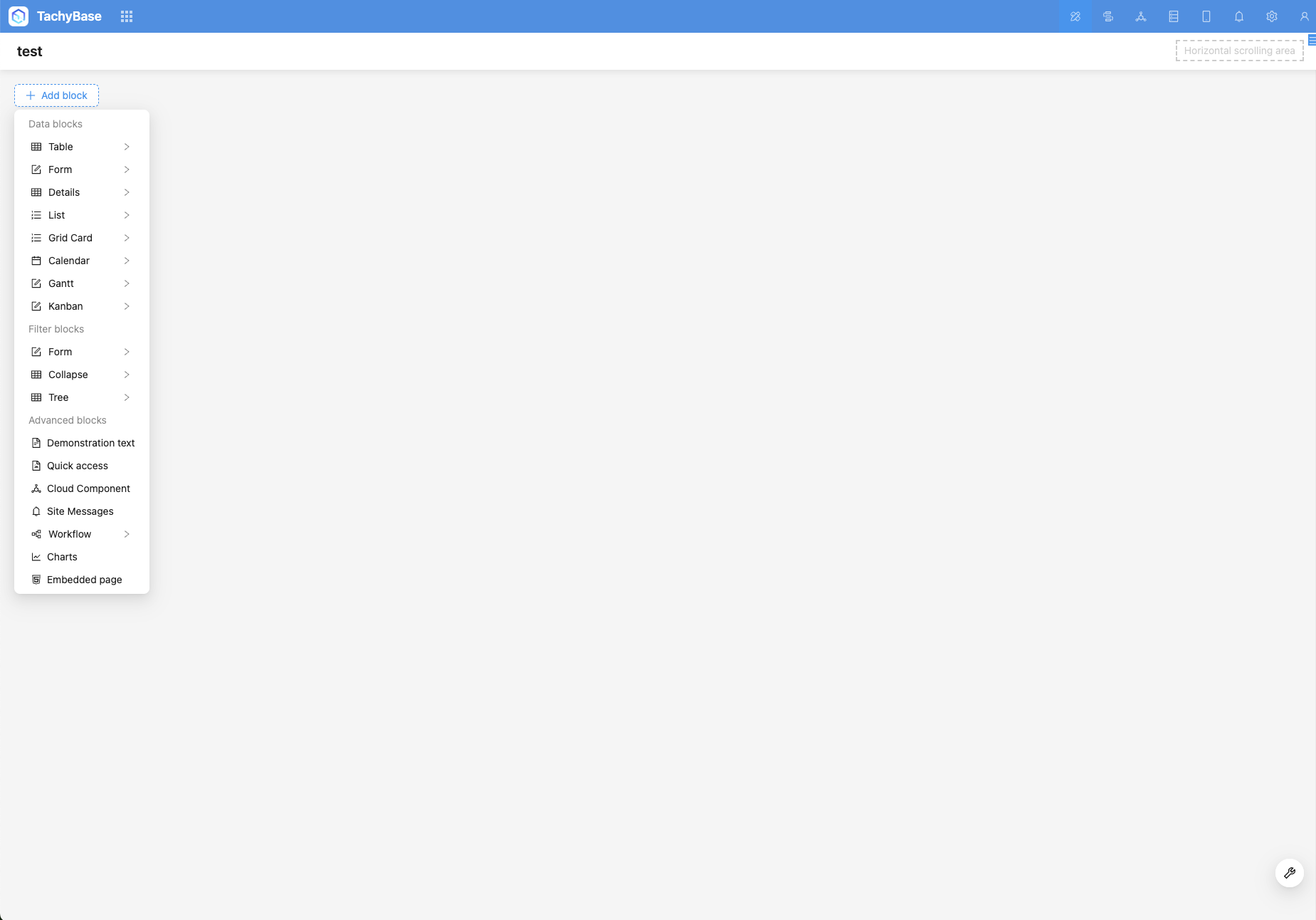
- Data blocks, used to display data from data sources on the interface
- Filter blocks, used to use data from data sources as filter conditions to filter other data blocks
- Custom blocks, such as approval to-dos, AI chat boxes, charts, and other custom content
Add Blocks
Blocks can be placed in Page, Modal, or Drawer.
Blocks in Pages
Currently, block types in pages include: data blocks, filter blocks, and other blocks.
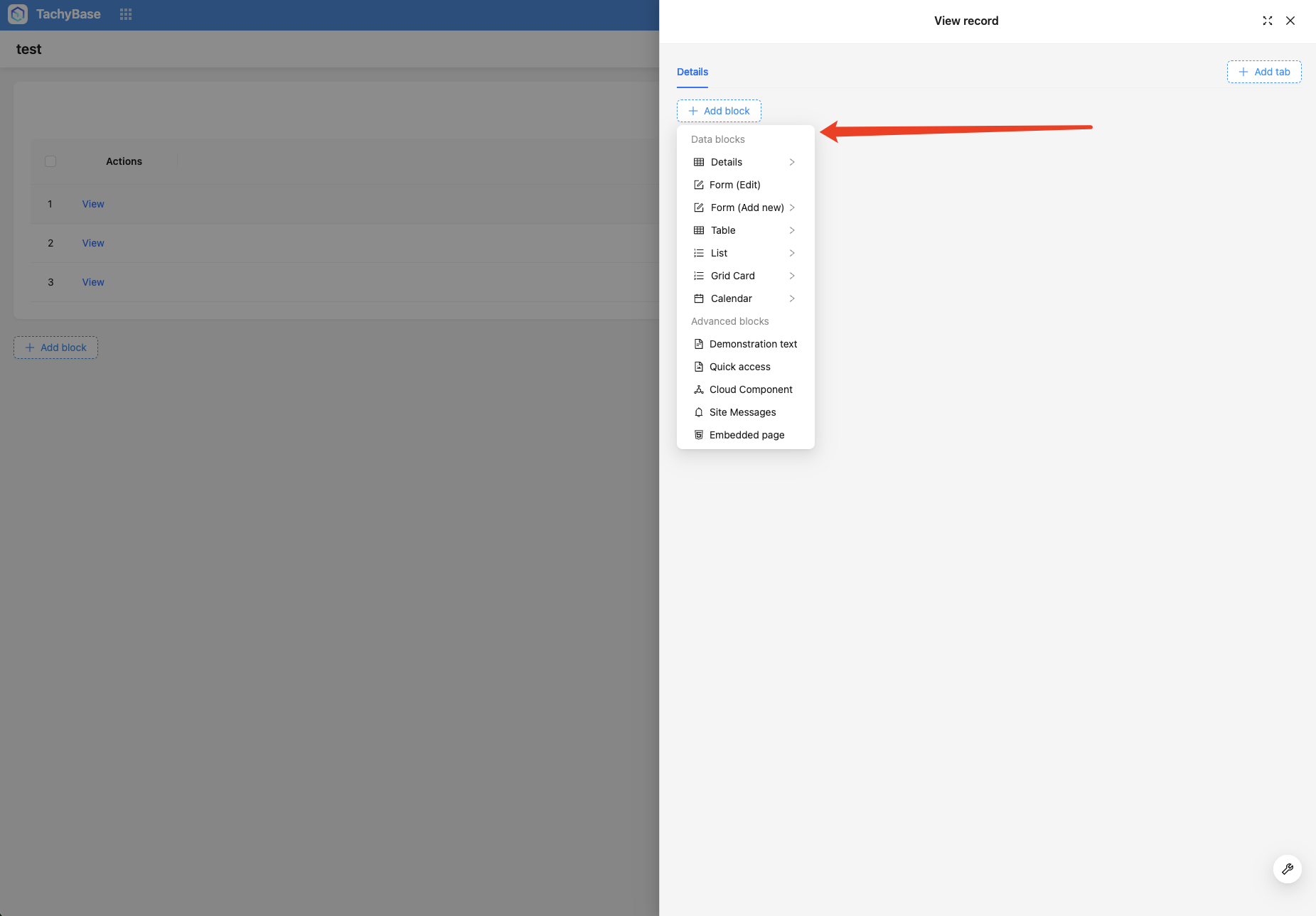
Blocks in Modals (Dialog or Drawer)
Modals come in two types: dialog and drawer. Like pages, blocks can also be added. The difference is that blocks in modals are usually for adding, editing, or viewing single records. Block types include data blocks and other blocks.
Total visits times Total visitors times Total reading times. Powered by Tego Team