

Form Filter Block
Introduction
Form filter blocks can be connected with data blocks. After connection, they can provide filtering capabilities for data blocks.
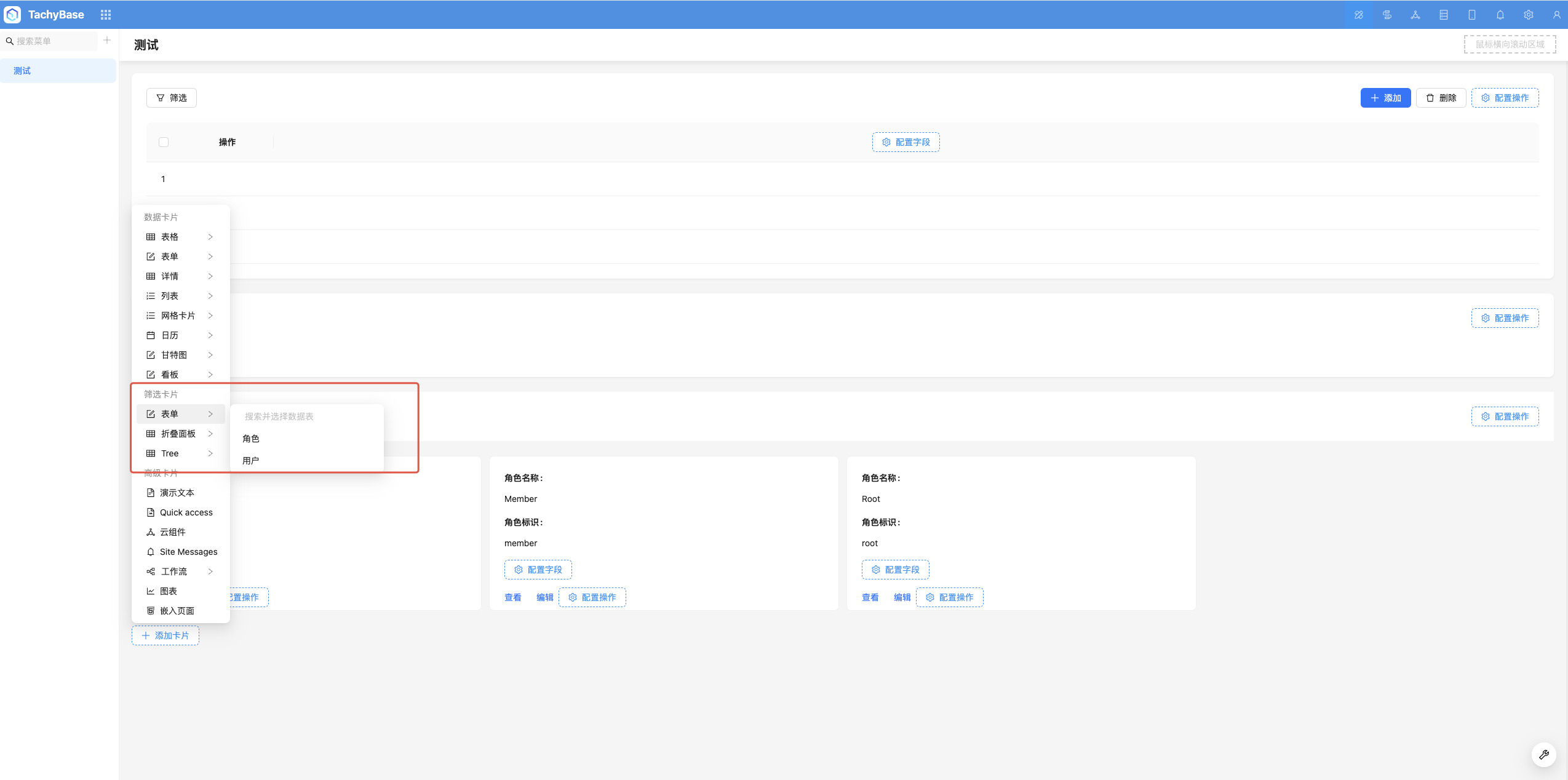
Add Block
Block Configuration Items
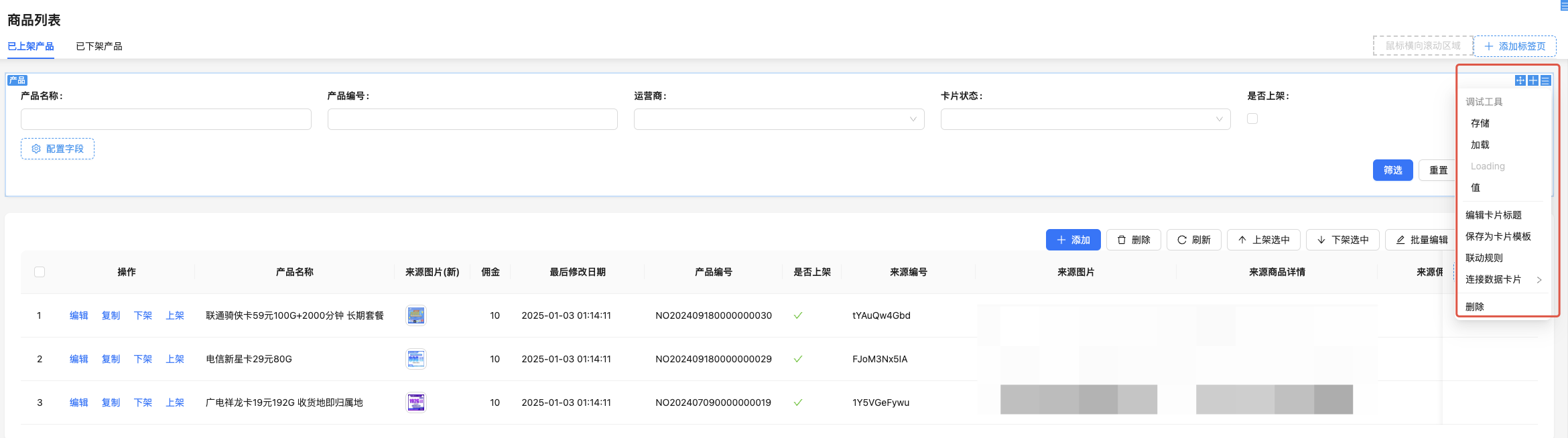
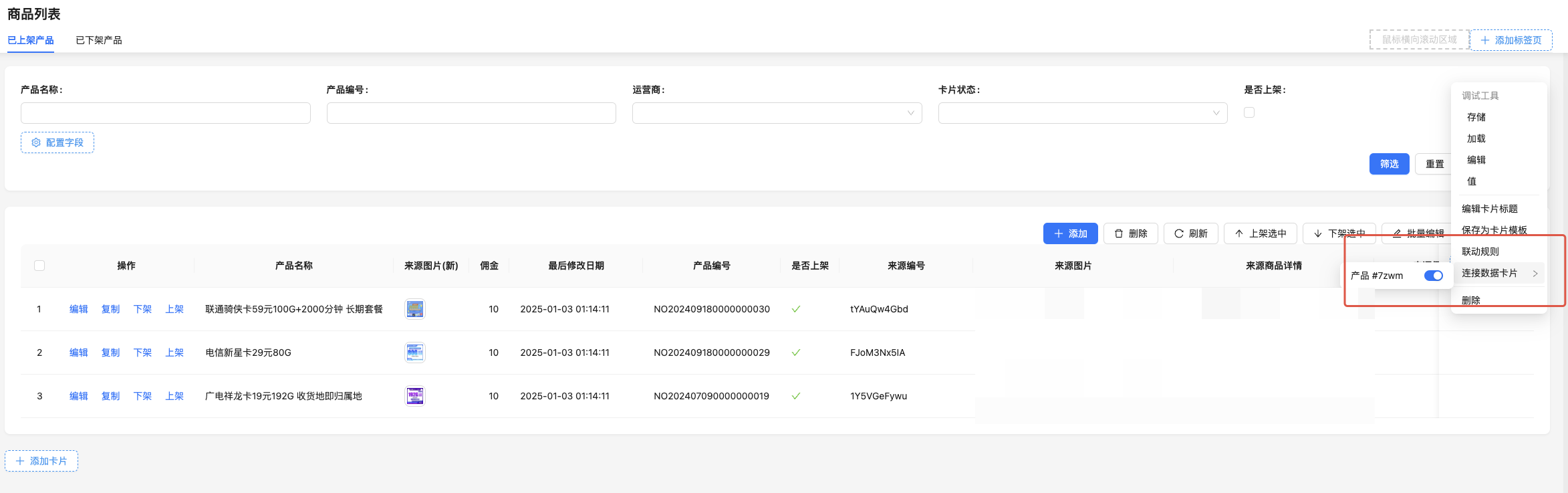
Connect Data Block
Example: Form filter block connected to details data block to achieve linkage.
Configure Fields
Current Table Fields
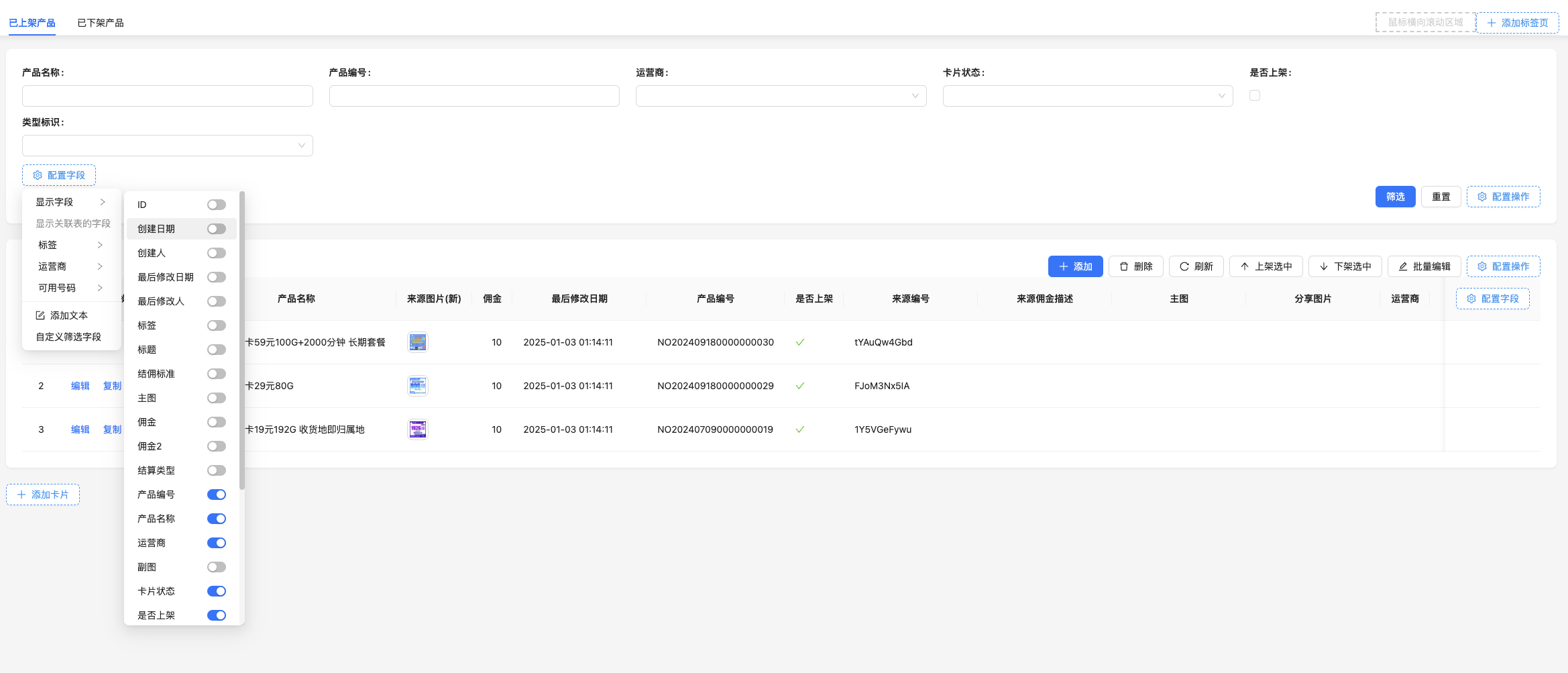
Relationship Table Fields
Supports using relationship table fields as filter conditions
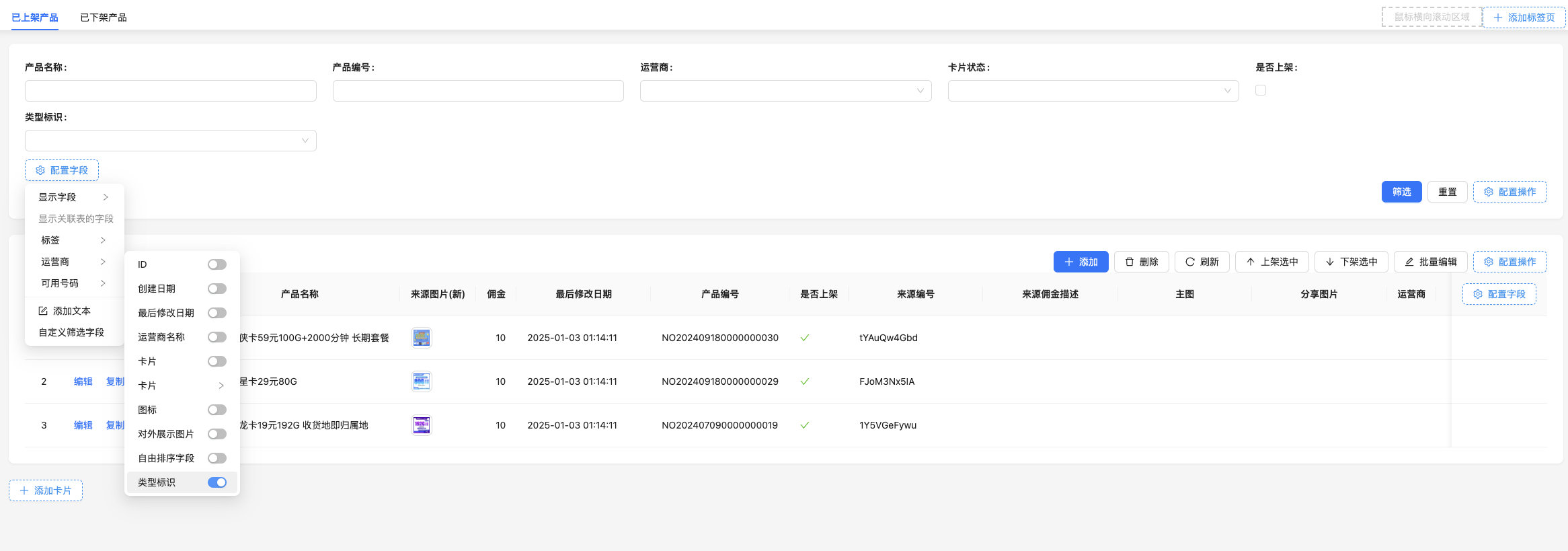
Set Default Values for Fields
Like regular form blocks, you can set default values for regular fields and relationship fields. When fields have default values, a filter operation will be automatically triggered on the first page render to display matching data in connected data blocks.
Configure Actions
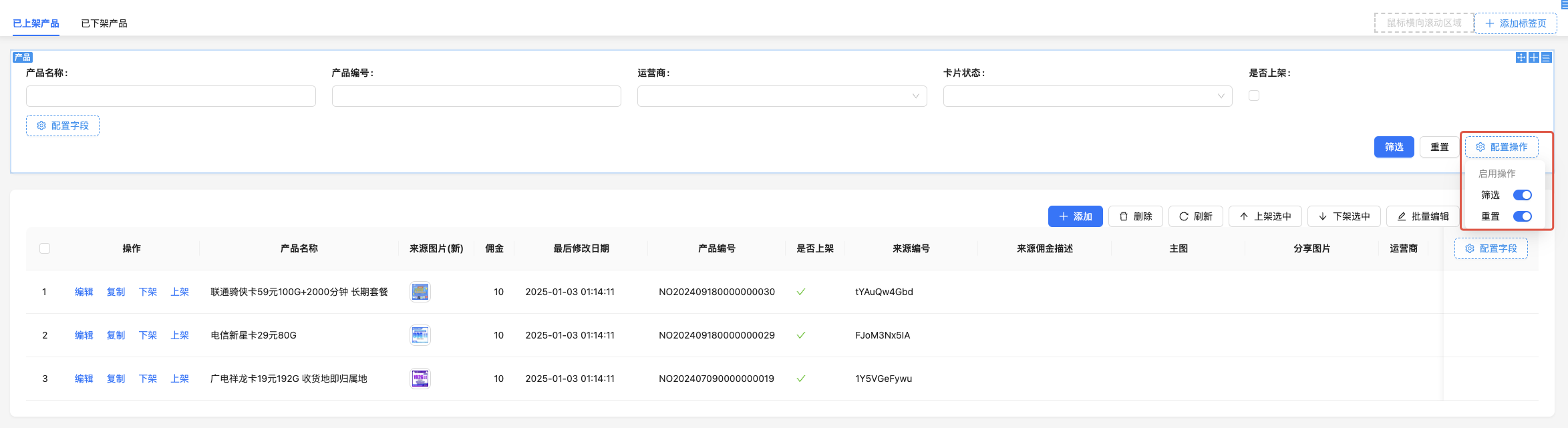
Reset Button

Total visits times Total visitors times Total reading times. Powered by Tego Team